
AI Governance
Every MCP and token agent session, budget policies checked before queries run, health notices and the pause switch.
- In the app
- AI Governance
/ai - Needs
- agents:view
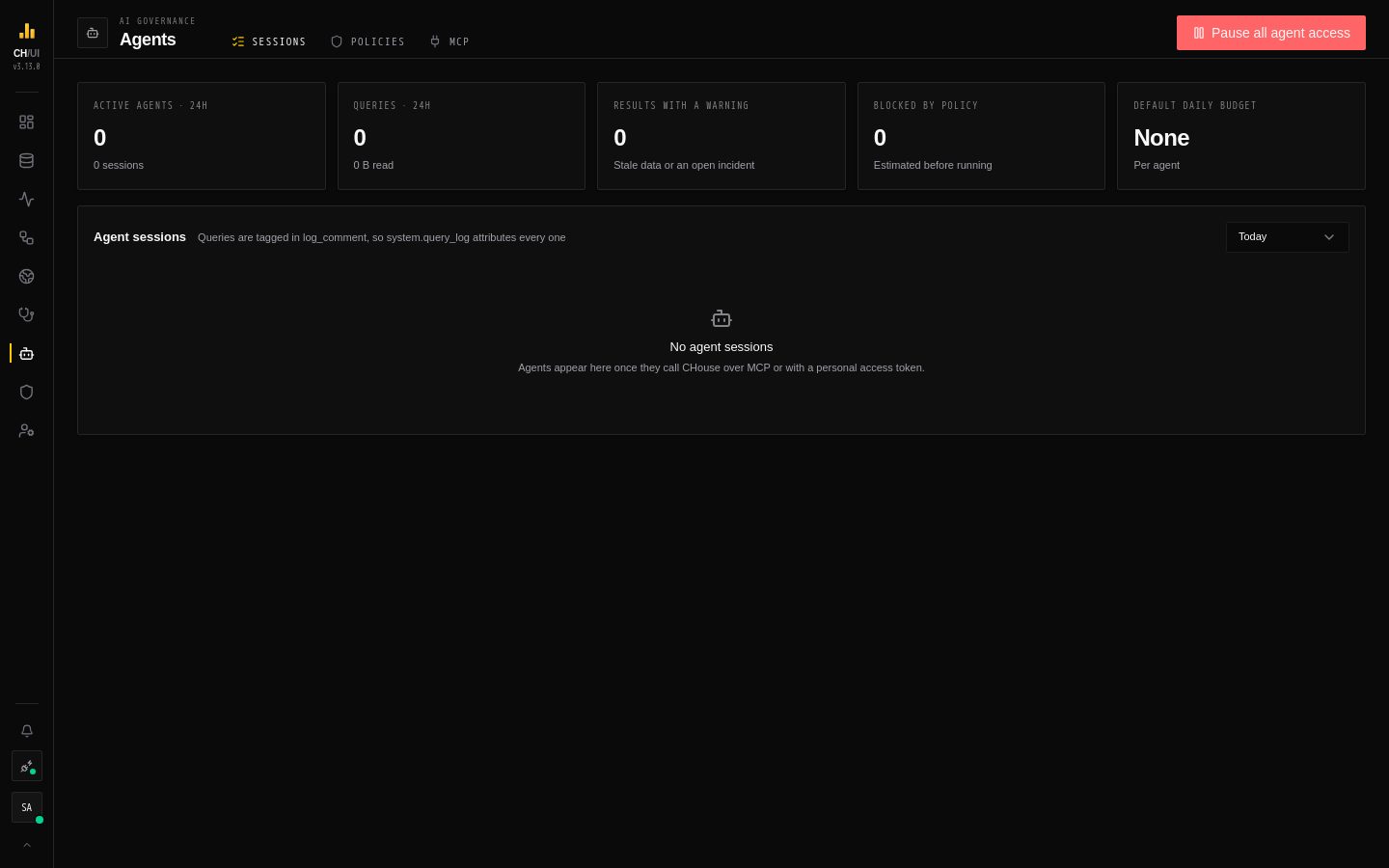
AI Governance (/ai, agents:view) shows every AI agent connected over MCP or a personal access token: what it read, what it cost, and whether the data it answered from was healthy.
Sessions
AI Governance › Sessions (/ai/sessions) lists every agent session with:
| Column | What it shows |
|---|---|
| Agent | The client it came from (Claude Code, Cursor, Codex, VS Code, the chouse CLI, …) and the token it used |
| User · Roles | The person the token belongs to and their roles, by display name |
| Queries · Read | ClickHouse queries the agent ran and the bytes they read |
| Policy · daily budget | The policy that governs the session — a token policy, the role policies that matched, the default, or none — and how much of its daily budget is used |
| Warned / blocked | Results that carried a health notice, and queries a policy refused |
Open one to replay its tool calls — get_table_context, get_dataset_health, then query — with the health notices attached to each result. Every agent query is tagged in log_comment, so system.query_log attributes it too. Arguments of other users' sessions are hidden without query:history:view:all.
The client comes from the name an MCP client sends when it connects (clientInfo), or else from its User-Agent; well-known clients get a friendly name and others keep their product name. A session recorded before client detection, or from a client that sends neither, shows as MCP client or API client.
Policies
AI Governance › Policies (/ai/policies, agents:manage to edit). New policy opens a two-step wizard:
- Limits — the settings below.
- Applies to — tick Every agent (default), any number of roles and any number of tokens, by display name. Tokens show their owner and key prefix; revoked tokens aren't offered. Search narrows both lists.
The list shows one row per policy with everything it applies to. Edit reopens the wizard on both steps; Delete removes the policy from all its targets after a confirmation.
| Setting | Effect |
|---|---|
| Max read per query | Estimated with EXPLAIN ESTIMATE before the query runs; larger reads are blocked |
| Daily read budget | Across all of the agent's queries |
| Partition filter above N GiB | Large tables must be read with a partition filter |
| Tables with a critical incident | warn (attach a notice), block, or ignore |
| Alert at × usual usage | Flags runaway agents |
How a policy is chosen
Every query an agent runs over MCP, or with a personal access token from the CLI or a script, is checked before it runs. The most specific policy wins:
- a policy on the token it used;
- otherwise the policies on the user's roles — when several roles have one, the strictest limit of each kind applies, and block beats warn;
- otherwise the default policy;
- otherwise no budget (health notices still apply).
A role or token has one policy at a time: picking one that already has a policy moves it to the policy you're editing (the wizard marks it moves here). A policy whose role was deleted or whose token was revoked keeps it under No longer available until you untick it.
Pause all agent access refuses every MCP tool call and every token-authenticated query until resumed. People using the UI are not affected.
MCP
The MCP tab (/ai/mcp) turns the MCP endpoint on (it is served at /mcp on the same address as the UI), sets its allowed origins, tool call timeout and — when agents use another address than you — its public address, and gives copy-ready setup for Claude Code, Codex, Cursor, VS Code, OpenCode and curl. It lists every tool with its description, access level (read, write, destructive), the permissions it needs and its parameters; switch tools on or off one at a time or per category, with each category collapsible. Reads are on by default; anything that changes or deletes things, or spends LLM budget, stays off until you turn it on. A token only ever sees the tools that are on and that its permissions allow. Viewing needs agents:view; changing needs agents:manage. Details: MCP.
What agents get
The MCP server adds get_dataset_health, get_lineage, get_table_context, get_metric, get_pipeline_status and list_incidents, and — once an administrator turns it on — propose_remediation. There is no approve tool: an agent's proposal always waits for a person. Query results carry health notices ("this table has an open incident; say so in the answer").