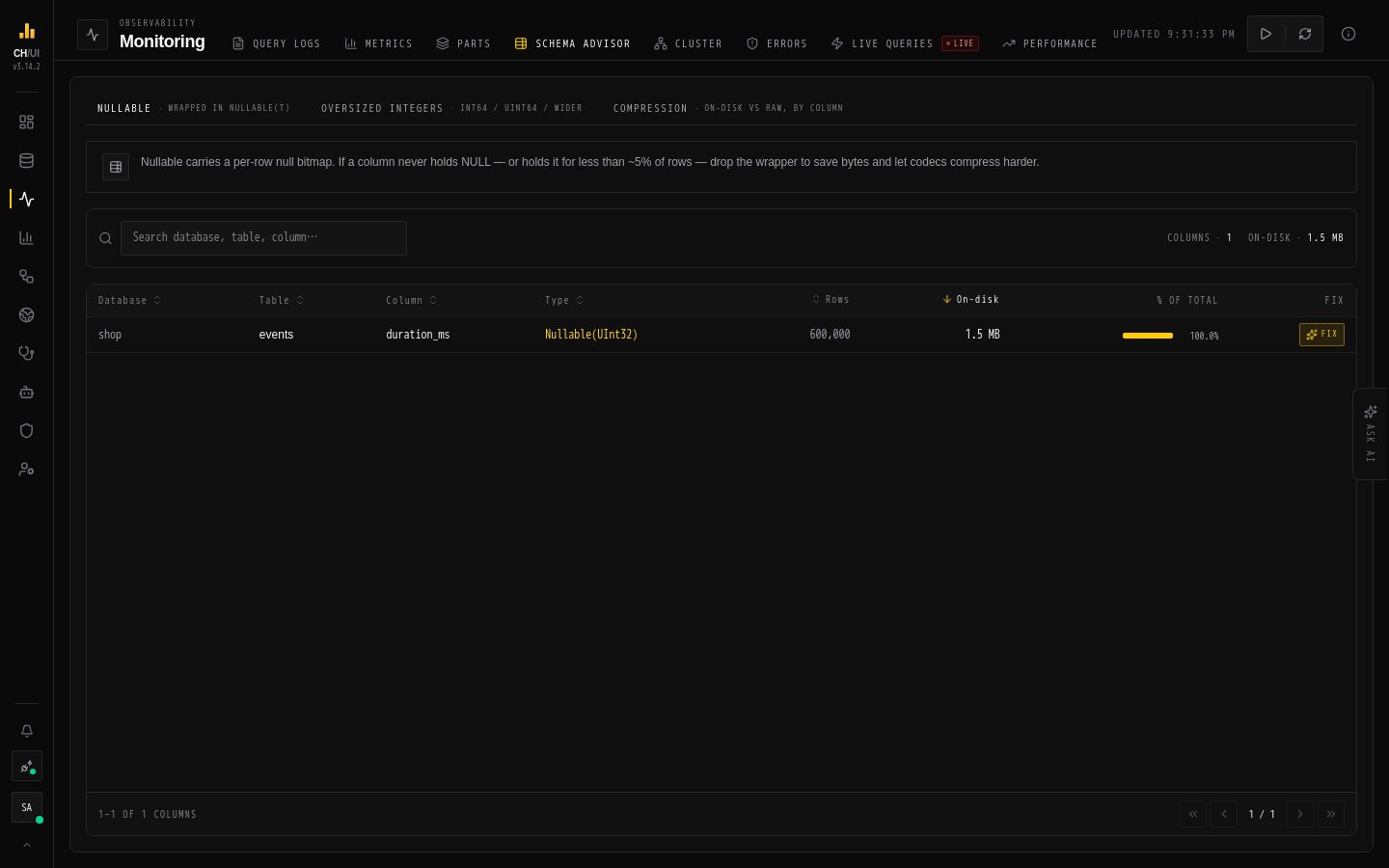
The schema advisor (/monitoring/schema, permission schema_advisor:view) is a data-hygiene linter over system.parts_columns — it finds columns that waste on-disk space and ranks them by bytes.
Formerly named "Schema doctor" — renamed to disambiguate from the AI Fleet Doctor.
What it lints
Finding
Why it matters
Nullable columns
Every Nullable(T) column pays an extra per-row null mask — often unnecessary for NOT-NULL-in-practice data
Oversized integers
Int64 where Int32 would do — doubles storage for the column
The ranking
Findings are ranked by on-disk bytes attributable to the column across system.parts_columns, so the list is an actionable ordering, not a theoretical one. Fix the top of the list first.
Recommended fixes
Confirm the column never holds NULLs in practice (SELECT count() WHERE col IS NULL)
ALTER TABLE … MODIFY COLUMN to drop Nullable or shrink the integer type
Watch the parts view for the mutation churn the ALTER creates
The advisor reads; it never alters anything itself.