
Data access rules
Per-user and per-role database/table rules with wildcards, regex patterns, deny precedence and priority ordering.
- In the app
- Admin › Data access
/admin/data-access - Needs
- data_access:view
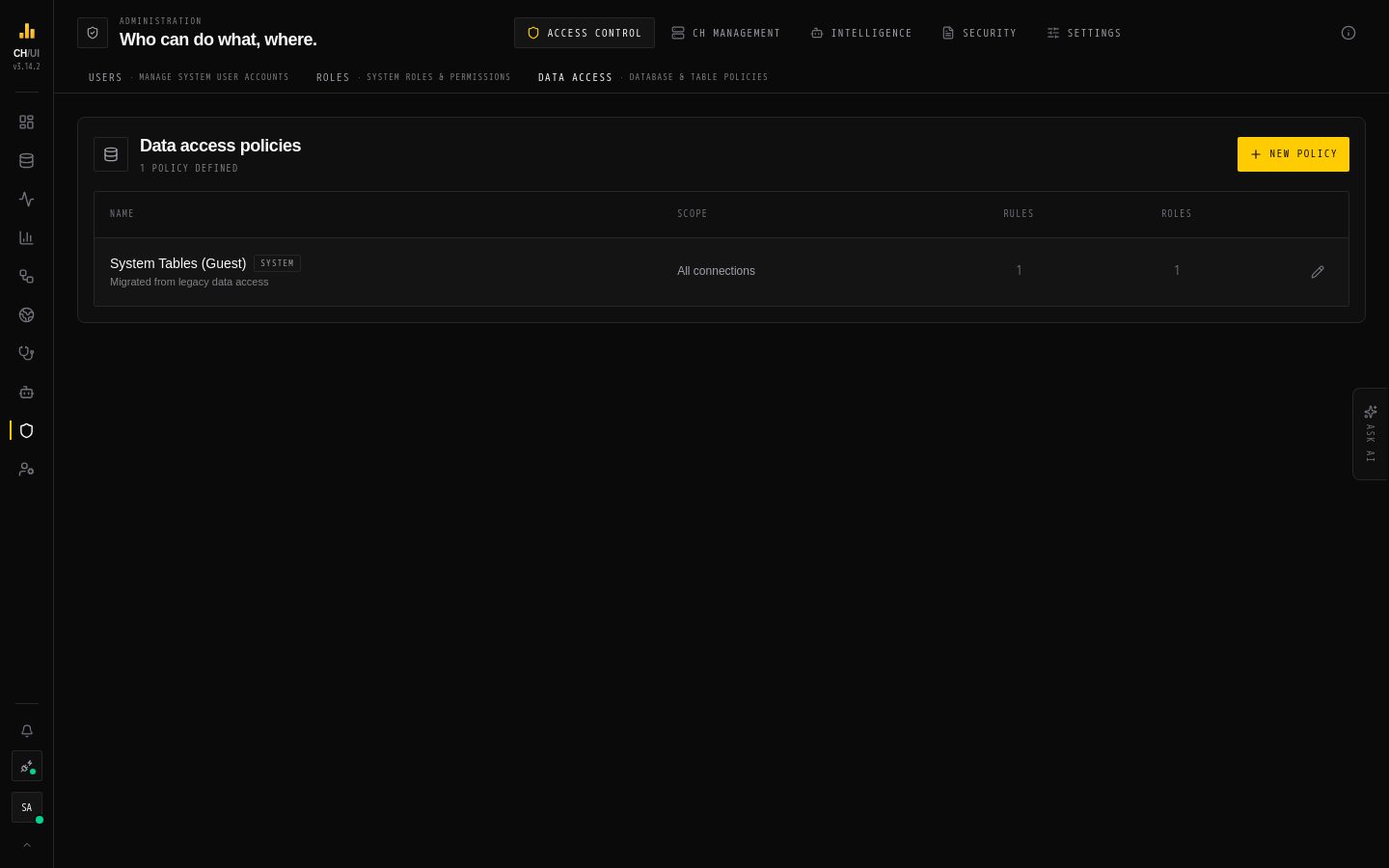
Permissions decide what a user can do: run queries, open Monitoring, edit roles. Data access policies decide what they can do it to: which connections they can reach, and which databases and tables on them. Every query is parsed on the server and checked against these rules before it reaches ClickHouse.
How it fits together
user ──has──▶ roles ──attach──▶ data access policies ──contain──▶ rules- A policy is a named, reusable bundle of rules, for example Prod analytics — read only.
- A rule is a database pattern, a table pattern, allow or deny, a priority, and optionally the one connection it applies to.
- Policies are attached to roles. A role can have several policies, and a policy can serve several roles. A user's effective rules are all the rules in the policies on all their roles.
There are no per-user rules: to give one person different access, give them a different role.
Which connections a user sees
A user can use a connection only when one of their policies has an allow rule scoped to that connection. Rules with no connection apply on every connection the user can already reach, but don't grant a connection by themselves. Super admins see every connection.
The same list decides the cards on Fleet and the connections the user's CLI and MCP tokens can use.
How a table is checked
For each database and table a statement touches:
- Collect the user's rules for the current connection.
- Sort them by priority, highest first. At the same priority, deny comes before allow.
- The first rule that matches decides — allow or deny.
- If nothing matches, access is denied.
Because the first match wins, a higher-priority allow beats a lower-priority deny. To carve out an exception, give it a higher priority than the rule it overrides.
| Pattern | Matches |
|---|---|
* | Everything |
analytics | Exactly analytics (case-insensitive) |
stg_* | Anything starting with stg_ |
/^(raw|stg)_/ | A regular expression, written between slashes |
Note: Queries against system and information_schema are allowed by default, so monitoring and metadata lookups keep working; those databases are hidden from the Explorer tree for non-admins. What a user sees in the Monitoring tabs is governed by the per-tab permissions (logs:view, parts:view, …).
The rules apply wherever data is read: the SQL editor, the Explorer, exports, the Data page's lineage and incidents, and every API, CLI and MCP call. A table you can't read never shows up, not even as a lineage node.
Create a policy
- Open Admin › Data access and choose New policy.
- Give it a name and, optionally, a description.
- Select the connections it configures. Each connection is set up on its own in the next step.
- For each connection, tick the databases or tables to allow, or use Add wildcard / pattern rule for patterns (
db/*//regex/, thentable/*). You need at least one rule to continue. - Save.
A policy does nothing until a role uses it.
Attach a policy to a role
- Open Admin › Roles and create or edit a role.
- In the data access step, pick one or more policies. Custom roles need at least one; built-in roles may have none.
- Save. The change applies to the next request of every user with that role.
Editing or deleting a policy also takes effect on the next request. System policies (marked System) can't be deleted.
Examples
| Goal | Rules |
|---|---|
Analysts read everything in analytics on prod | Policy Prod analytics: allow analytics / *, scoped to the prod connection |
…but not the pii_* tables | Add deny analytics / pii_* with a higher priority than the allow |
| Engineers read all staging databases on every connection they use | Allow /^stg_/ / * with no connection, plus an allow scoped to each connection they should reach |
Related
- Users & roles — who holds which role
- Permission catalog — what each role may do
- Security model — how the checks compose