
Lineage
How data moves between tables, built from metadata and query_log without instrumentation — upstream sources and downstream blast radius.
- In the app
- Data › Lineage
/data/lineage - Needs
- observe:view
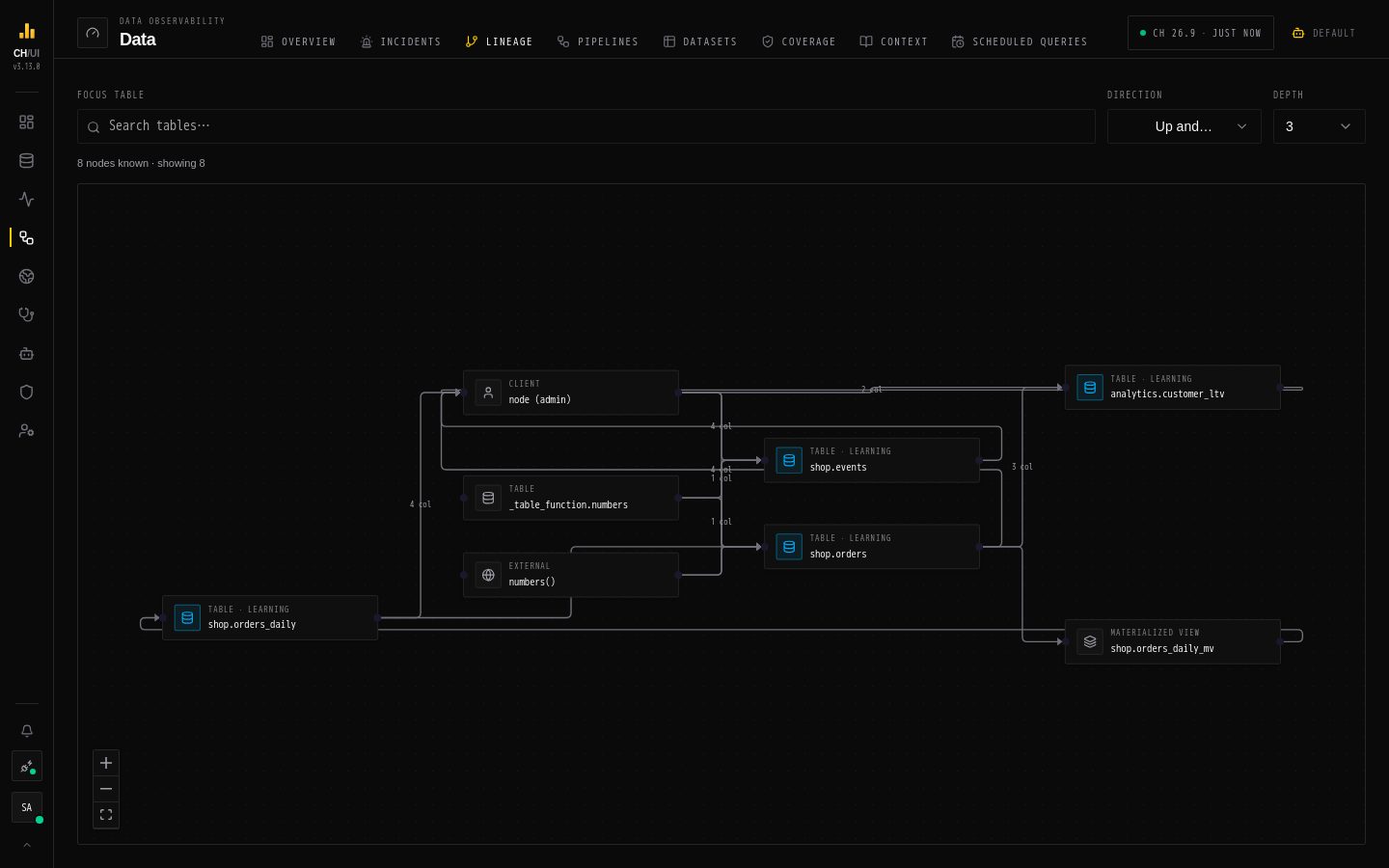
Data › Lineage draws how data moves between tables on the active connection, built without any instrumentation from what ClickHouse already records.
Where the edges come from
| Source | Edges |
|---|---|
system.tables | Materialized and refreshable views, queue and object-storage engines (Kafka, RabbitMQ, NATS, S3Queue, AzureQueue), replication engines, Distributed tables, dictionaries |
system.query_log | INSERT … SELECT between tables, with column hints where the query shows them |
| CHouse UI | Scheduled queries, saved queries, and agents that read a table |
Edges declared in DDL are kept as long as the objects exist. Edges observed in query_log age out when they haven't been seen for OBSERVE_RETENTION_DAYS (default 90).
Use the graph
- Focus table — pick a table (or click Focus here on any node).
- Direction — Upstream (sources), Downstream (blast radius), or Up and downstream.
- Depth — how many hops to follow.
- Click a node for Node details: its type, status and, for tables, the columns involved. Clear focus returns to the whole graph. For a table, Dataset opens its page in Datasets; it is disabled for
systemandinformation_schematables, which CHouse doesn't track as datasets.
Broken nodes are coloured by status, and edges leaving a broken node are animated, so a failure's reach is visible at a glance.
Common questions
| Question | How |
|---|---|
| "What feeds this table?" | Focus it, direction Upstream |
| "What breaks if I change this table?" | Focus it, direction Downstream — or try the change: schema preflight stops DDL that would break a dependent |
| "Why is this dashboard table stale?" | Open the incident: its root-cause chain is a walk up this same graph |
You can open lineage from a table in Datasets, from a pipeline, from an incident (Open in lineage) and from a scheduled job's page.
From the CLI and agents
chouse lineage shop.orders --direction up
chouse lineage shop.orders --impact        # everything downstream
Agents use the MCP get_lineage tool. Both respect the caller's data access: a table they can't read is left out of the graph.