
Upgrades
Upgrade readiness against your real workload, replay on a canary and a rollout tracker.
- In the app
- Monitoring › Upgrades
/monitoring/upgrades - Needs
- upgrades:view
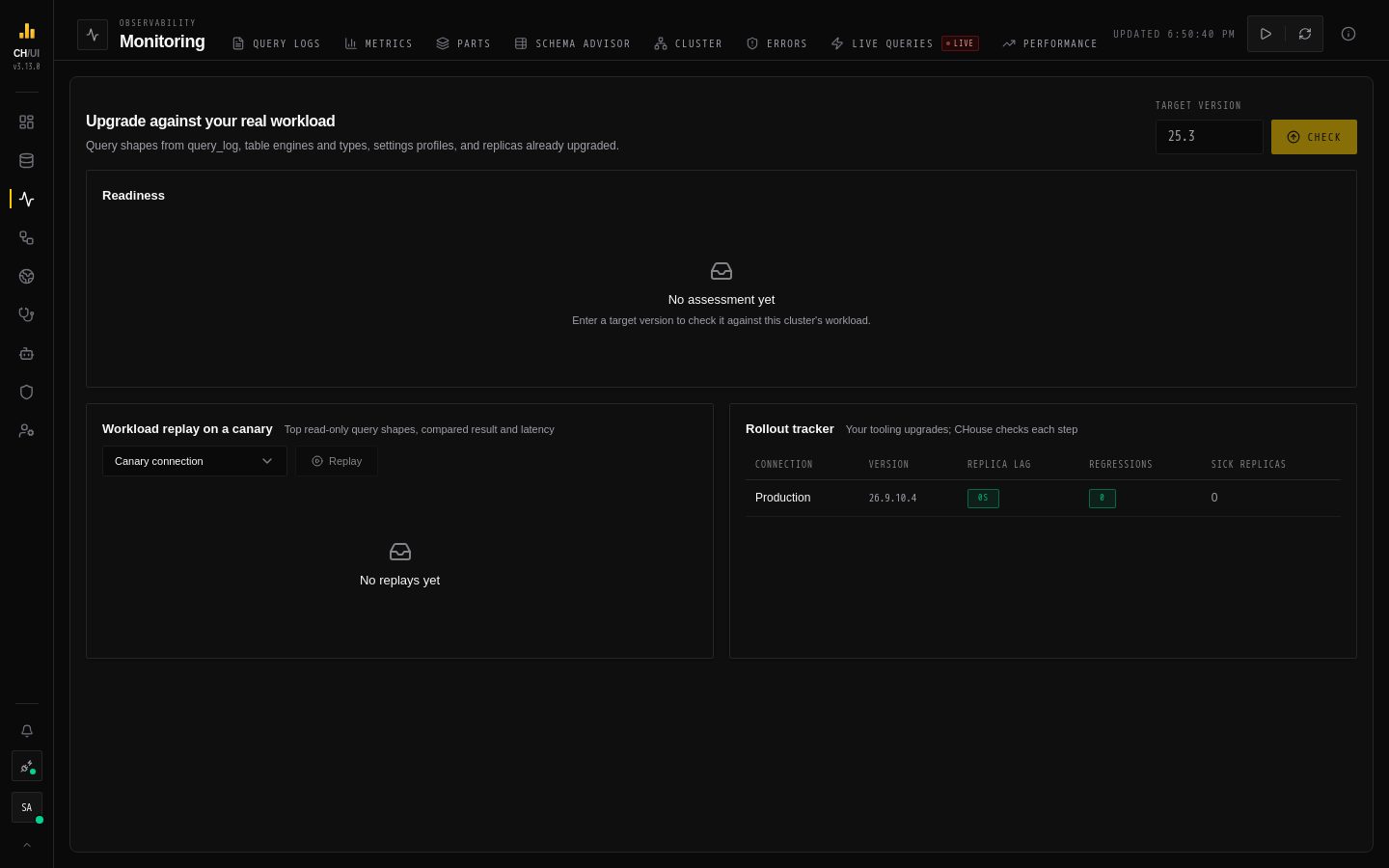
Monitoring › Upgrades checks a ClickHouse upgrade against your workload before you roll it out: the query shapes in query_log, your table engines and column types, settings profiles, and the replicas you have already upgraded.
Check readiness
- Enter a Target version (e.g.
25.3) and run the check (needsupgrades:run). - A rules pack of known behaviour changes is matched against what you actually use — column types, database engines, settings profiles, query settings and functions — and only findings that apply are shown.
- The Verdict is Ready, Ready with warnings or Not ready, with Blockers and Warnings listed under Findings. Nothing in your workload is affected means no rule matched.
Replay on a canary
Workload replay on a canary runs the top read-only query shapes of the active connection (the baseline) on a Canary connection that already runs the target version, and compares each result and run time. Only read-only queries are replayed. Each shape gets one outcome:
| Outcome | Meaning |
|---|---|
| Same result | Same rows and no slower. |
| Differs | The canary returned different rows. |
| Slower ≥ 1.5× | Same rows, at least 1.5× slower (and over 50 ms). |
| Missing on canary | The table, database or column exists only on the baseline. This is a gap in the canary's schema, not an upgrade regression. |
| Errors | The query works on the baseline but fails on the canary. These are what the replay is for. |
| Skipped | The query no longer runs on the baseline either, usually because its table was dropped after it was logged. Skipped shapes are listed but not counted. |
Replay differences lists every shape that wasn't the same, most serious first, as the text that was actually replayed (the client's FORMAT clause is removed).
Set up the canary as an ordinary connection pointing at a server on the new version, with a copy of the data you care about. The active connection never appears in the canary list, because it is the baseline. To compare from a different server, switch connections first.
Track the rollout
The Rollout tracker lists every connection with its version and three gates — replica lag, regressions and replica health — so you can see whether it is safe to move on to the next one. Regressions that start with the upgrade also show on Performance.