
Test console
Run any AI feature or an unsaved draft as you and see the result, every tool call and the exact prompt — plus common errors.
- In the app
- AI Governance › Assistant › Test console
/ai/assistant - Needs
- ai_agents:manage
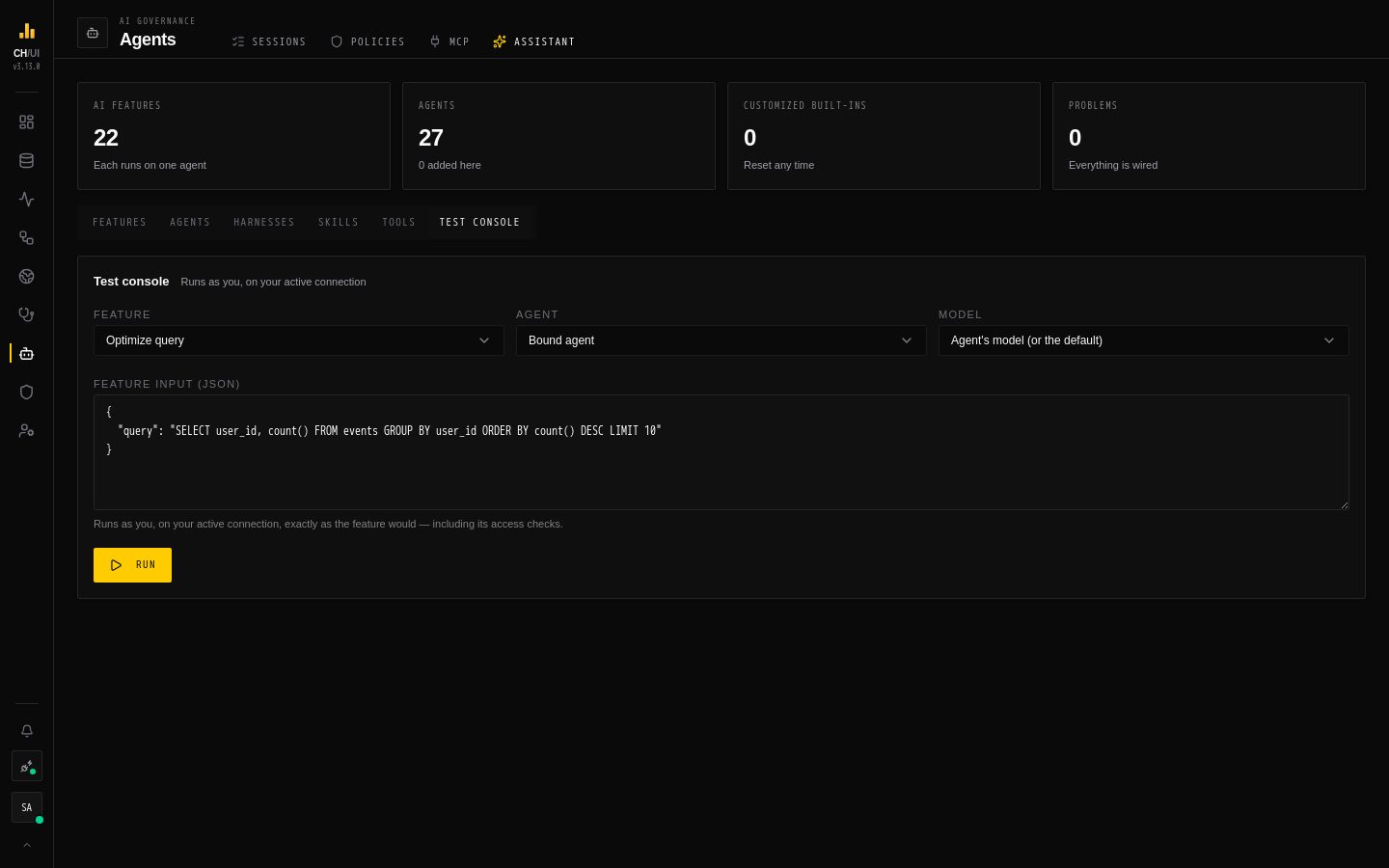
The Test console runs an AI feature for real — as you, on your active connection — and shows everything the agent did. Use it before you rebind a feature, after you edit a prompt, or to find out why a feature answers the way it does.
It is in two places:
- AI Governance › Assistant › Test console runs saved agents: a feature with its bound agent, or with any other agent that fits it.
- The Test tab of the agent editor runs the editor's unsaved draft, so you can try a change before anyone else gets it.
Testing needs ai_agents:manage and the feature's own permission (for example ai:optimize or doctor:run), and an AI model must be configured. A test spends model tokens like any other run.
Running a test
- Feature — pick what to run. From the editor, only features of the agent's kind are listed — the Chat for a chat agent, the other features for a feature agent — starting with the one it is bound to.
- Agent — Bound agent, or any enabled agent that fits the feature (Test console tab only).
- Model — Agent's model (or the default), or any configured model.
- The input:
- for the Chat, a Message — the test sends it as a one-message conversation
- for every other feature, the Feature input (JSON) — the same request body the product sends. The console fills in a working example for the SQL editor, diagnosis, Doctor and watcher features; for the others, start from
{}and add what the feature needs, such as the scheduled query or incident id
- Run (or Run draft).
The run goes through the feature exactly as the product does — its access checks, the evidence it gathers, its output contract and its finishing step. ClickHouse tools run on your connection with your data access rules; CHouse tools see what you can see.
Reading the result
For a structured feature:
| Panel | Shows |
|---|---|
| Ran <agent> in <time> | Which agent answered and how long it took |
| Result | The feature's final output, as the product receives it |
| Tool calls | Every call in order: tool, arguments, result — and, for calls made by a subagent, the agent path |
| System prompt (with the output contract) | The rendered system prompt exactly as the model received it: your template, pinned skills, the JSON schema and the harness suffix |
| Task message | The rendered task template |
| Raw final answer | The model's last message before it was parsed. When this isn't valid JSON, a formatter pass turns it into the result |
When the result says the feature answered without running its agent, it came from a cached result or a graceful fallback, so there is no trace. The brief and diagnosis features in DataOps cache their answer for unchanged evidence; change the evidence, or test with another agent, to force a fresh run.
For the Chat: Answered by <agent> in <time>, the answer, and the tool calls with the subagent that made each one.
Common errors
| Error | What to do |
|---|---|
| The AI agent hit its step limit before finishing | The agent needed more steps. Raise its step budget or recursion limit, or the model's Recursion limit parameter in AI models; or make the prompt more direct |
| AI feature '…' has no valid agent — bind one in AI Governance › Assistant | The feature's agent was deleted or never bound. Rebind it in Features |
| … is bound to the disabled agent '…' | Enable the agent or rebind the feature |
| Unknown template variable ctx.… | The prompt uses a variable this feature doesn't provide — see Prompt templates |
| '…' is a feature agent; test it through its feature | A feature agent was picked for the Chat. Pick a feature it serves |
| Testing this feature needs '…' | You hold ai_agents:manage but not the feature's permission |
| No AI model is configured | Add one in AI models |
| A timeout | The run exceeded the agent's timeout (default 4 minutes for a feature, 2 in the chat) or the model's Run timeout |
What the console does not do
- It doesn't save anything — a draft stays a draft until you Save it in the editor.
- It never writes to ClickHouse or CHouse: every tool an agent can have is read-only.
- Features that write their result somewhere in the product (a Doctor report, a brief on a job) are not changed by a test, but a cached answer may be reused or refreshed.