
Metrics
Nine tabs of ClickHouse-native observability: overview, performance, storage, merges, errors, memory, CPU, ZooKeeper and network.
- In the app
- Monitoring › Metrics
/monitoring/metrics - Needs any of
- metrics:viewmetrics:view:advanced
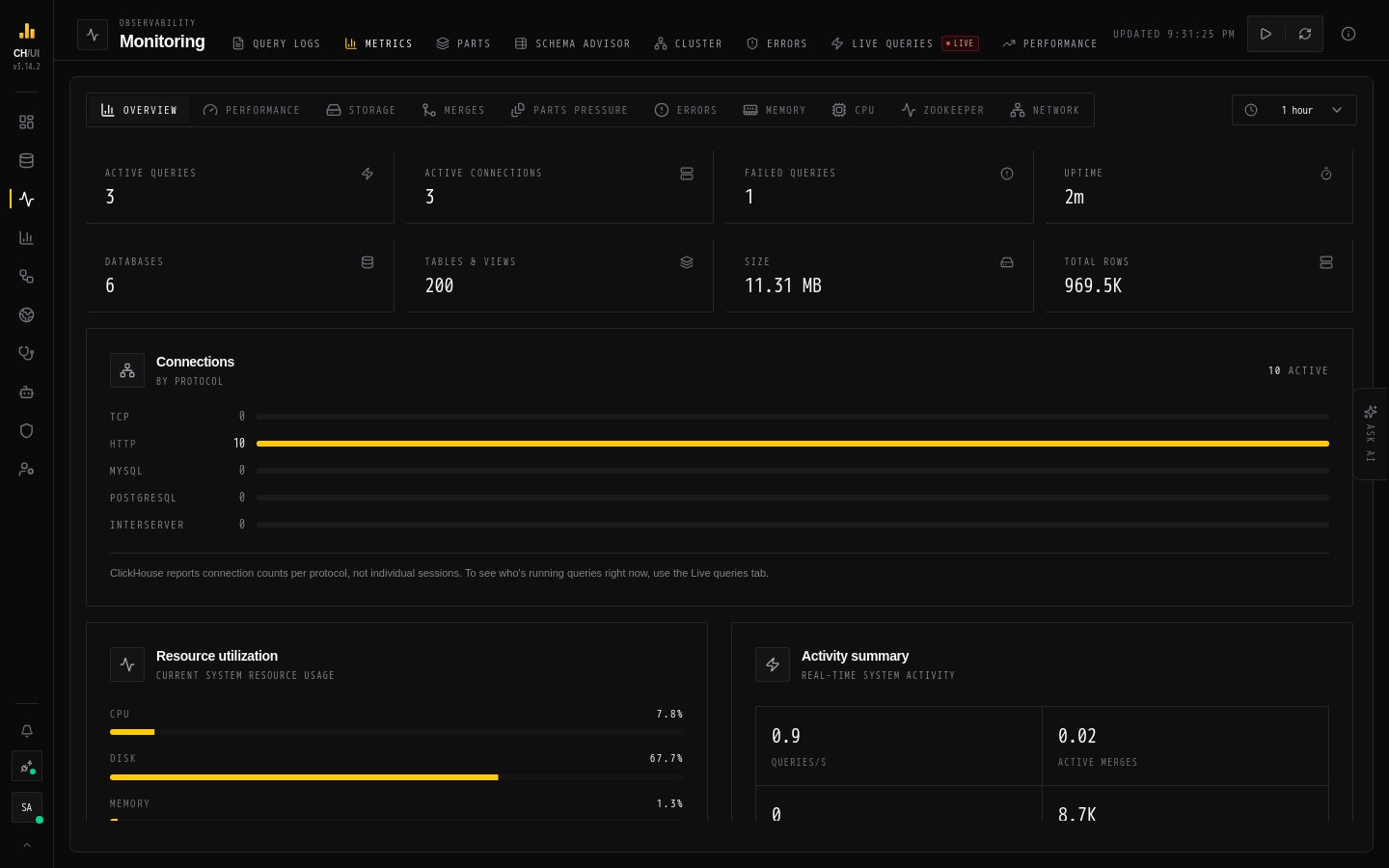
Metrics (/monitoring/metrics, permission metrics:view; deeper tabs need metrics:view:advanced) is the server-health suite — nine tabs of ClickHouse-native time-series built on system.metrics, system.events and system.asynchronous_metrics.
The nine tabs
| Tab | Shows |
|---|---|
| Overview | The headline counters: uptime, queries, connections, memory at a glance |
| Performance | Query throughput/latency trends, cache hit rates |
| Storage | Disk usage and growth by database/table |
| Merges | Merge activity and pressure over time |
| Errors | Error-rate trends (complementing the Errors viewer) |
| Memory | Server RAM breakdown (RSS attributed to active queries / caches / merges / primary keys / index, vs total), allocator history, top-memory queries |
| CPU | Load average, threads, pools; CPU mode-split + concurrency charts; top-CPU queries |
| ZooKeeper | Keeper transactions, traffic and system-load time-series |
| Network | Interface traffic and connection trends |
Reading the memory tab
The memory breakdown is the fastest "where did the RAM go?" answer:
- RSS attribution — active queries vs caches vs merges vs primary keys vs index, against total server RAM
- Allocator history — growth patterns that precede OOM kills
- Top-memory-queries table — which statements hold the memory
The same signal appears in query logs as per-query memory-pressure flags (flame ≥ 25 %, triangle ≥ 10 % of cluster RAM).
Reading the CPU tab
- Load average / threads / pools — background pool starvation shows as merges stalling (cross-check parts)
- CPU mode-split — user vs system vs IO wait; IO-heavy clusters need disk work, not CPU tuning
- Top-CPU queries — candidates for optimization
Time ranges
All tabs share the global time-range picker — presets and the Grafana-style drill-down calendar. Charts are theme-aware (light/dark) and render with high-performance charting for dense windows.
Underlying data
| Table | Used by |
|---|---|
system.metrics | Point-in-time counters |
system.events | Cumulative counters (deltas charted) |
system.asynchronous_metrics | Periodic gauges (RAM, disk, load) |
system.query_log | Top-memory/CPU query tables |
Tip: Start investigations in Overview; drill into Memory/CPU when the summary looks wrong; confirm the "why" in query logs.