
Auto-triage
An agent investigates new incidents, fleet alerts, failed runs and Doctor findings on its own, within cooldowns and token budgets, and proposes fixes.
- In the app
- AI Governance › Triage
/ai/triage - Needs any of
- ai_agents:viewai_agents:manage
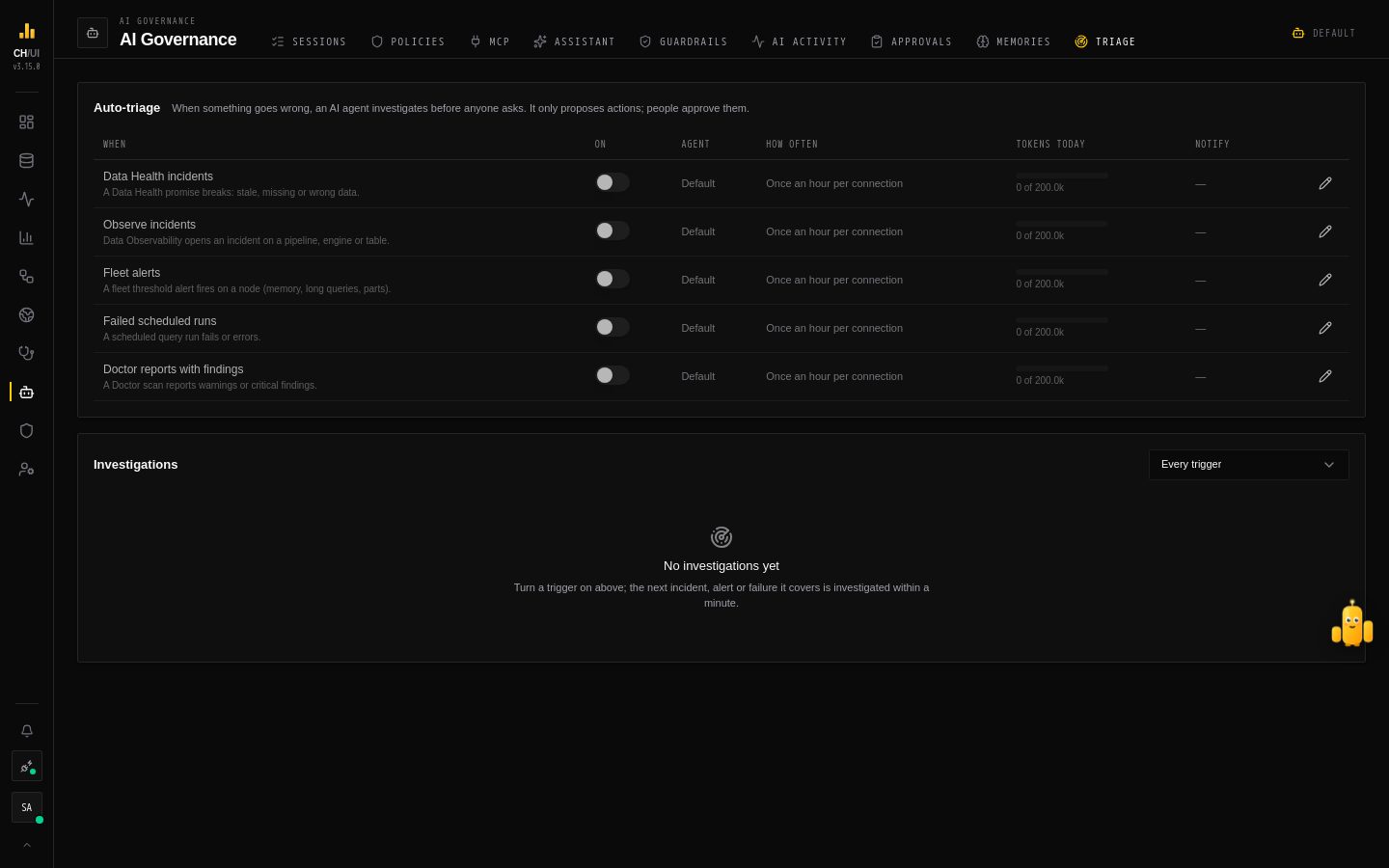
When something goes wrong, an AI agent can investigate before anyone asks. AI Governance › Triage (/ai/triage) sets which events it looks at, within what limits, and lists what it found. Every trigger is off until you turn it on.
Triggers
| Trigger | Investigates | Findings go to |
|---|---|---|
| Data Health incidents | A broken Data Health promise | The incident's investigation notebook |
| Observe incidents | An incident on a pipeline, engine or table | The incident's investigation notebook |
| Fleet alerts | A fleet threshold alert firing on a node | Investigations |
| Failed scheduled runs | A scheduled query run that failed or errored | Investigations |
| Doctor reports with findings | A Doctor scan with warnings or critical findings | The report's investigation notebook |
Turning a trigger on applies to what happens from then on; nothing older is investigated.
What it does
Within a minute of the event, the agent — Incident Triager by default — reads what CHouse recorded about it and checks it against the live system with read-only SELECTs on the connection's system tables. It reports a summary, the likely cause with its evidence, its severity and confidence, what it checked and the next steps. It can propose an action — kill a runaway query, or a fix from the remediation catalog — but only proposes: the action waits in Approvals, recorded for the person who set the trigger up, and a person decides.
An investigated incident or Doctor report shows an AI investigated badge with the finding; every investigation, with its finding and proposed actions, is listed under Investigations on the tab. Each one counts as background usage in AI activity.
Limits
| Setting | What it does |
|---|---|
| Agent | The agent that investigates. Default: the one bound to the Auto-triage feature |
| Cooldown | Per trigger and connection: no new investigation sooner than this after the last one (default 60 minutes; 0: every event). Skipped events are listed with the reason |
| Daily token budget | Tokens this trigger may spend per UTC day (default 200,000). Past it, events are skipped until midnight UTC |
| Notify | Alerting channels that get a short notice with the likely cause |
Budgets for the Auto-triage feature apply too.
Each event is investigated once, however many servers you run: one server at a time holds the triage runner.
Who sees what
| Permission | Can |
|---|---|
ai_agents:view | See the triggers and investigations |
ai_agents:manage | Turn triggers on and off and change their limits. Changes are audited as ai_triage.update |
People who can see an incident or a Doctor report see its AI investigated badge.