
Approvals & tiers
How AI changes are checked: undoable changes run with Undo, others ask once or need a second approver — 74 write tools in seven toolkits, and what AI never does.
- In the app
- AI Governance › Approvals
/ai/approvals - Needs any of
- ai:actai:chatai:optimize
AI agents in CHouse can change things — save a query, schedule a job, mute an alert, create a role — through write tools. Every write runs as the person it is for, through the same CHouse routes, checks and audit as doing it in the UI. How much a person is asked depends on the change's tier, not on a click for every write.
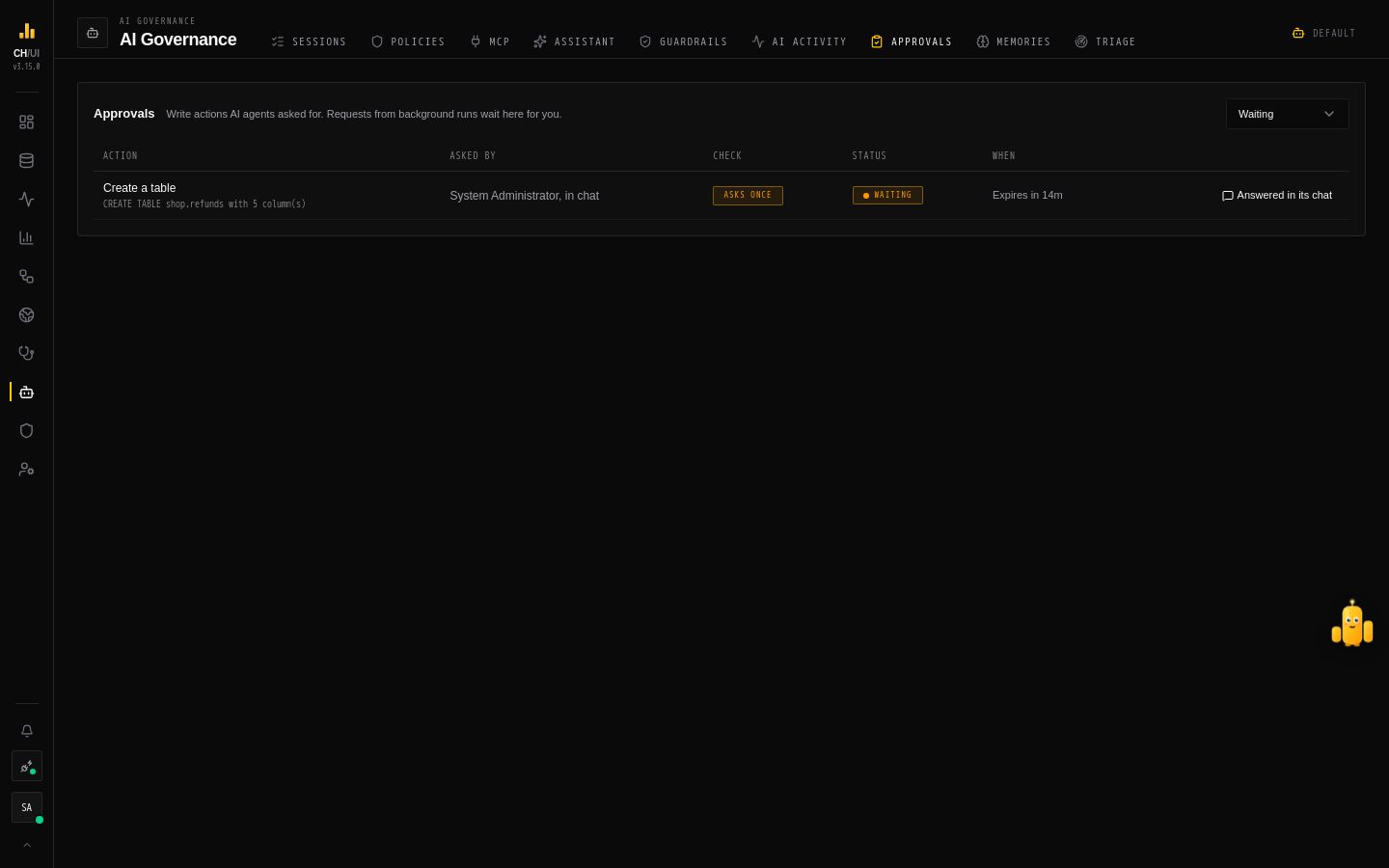
AI Governance › Approvals (/ai/approvals) is the full history of those changes and the queue of the ones waiting for someone. Each person also sees theirs in Chobi's Activity tab.
In short: ask for a change in the chat. If it can be undone, it runs and shows Undo. If it can't, you approve it once. If it is privileged or destructive, someone else approves it here. Let Chobi make a change shows each case.
Tiers
| Tier | Meaning | How it is checked |
|---|---|---|
| Undoable (T1) | Reversible: a saved query, a dashboard panel, a paused job | Runs at once and shows Done · Undo |
| Asks once (T2) | Has effects undo cannot reverse: runs a job, sends a message, creates a table | One confirmation, where the person already is |
| Second approver (T3) | Privileged or irreversible: DROP, ALTER, roles, users, data access policies | A different person who holds the same permission approves here |
| Never | Not a tool at all | — |
The tier is decided per call, in one place:
- The call itself. Raw SQL is tiered by statement (
INSERTandCREATEask once;ALTER,DELETE,DROP,TRUNCATEneed a second approver);kill_queryasks once for your own query and needs a second approver for someone else's. - Production. On a connection an administrator marked Production (Connections), every write goes up a tier: Undoable asks once, Asks once needs a second approver.
- Your own access. A change to your own roles, policies or grants always needs a second approver.
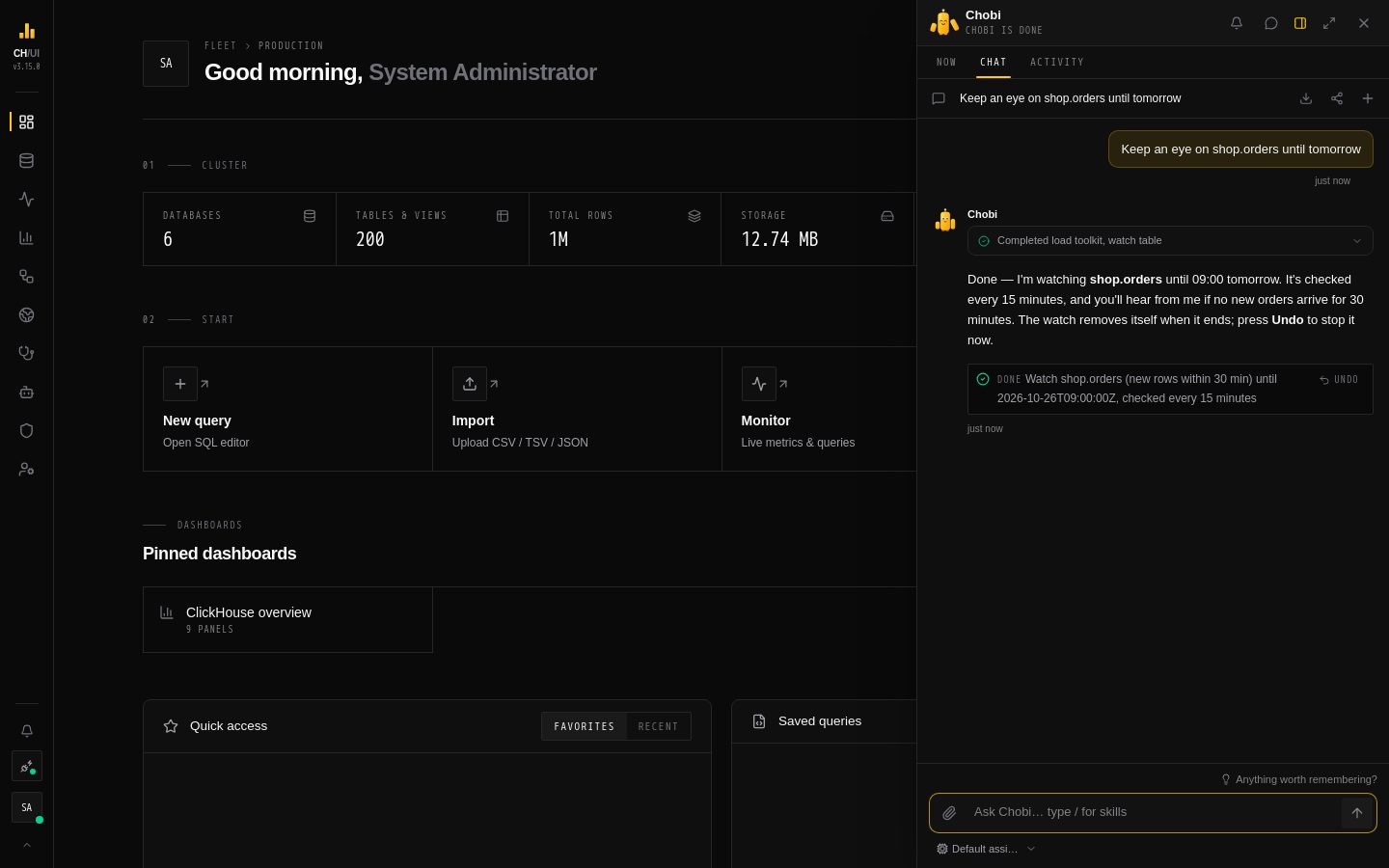 Undoable: the change runs at once, and the receipt says Done · Undo
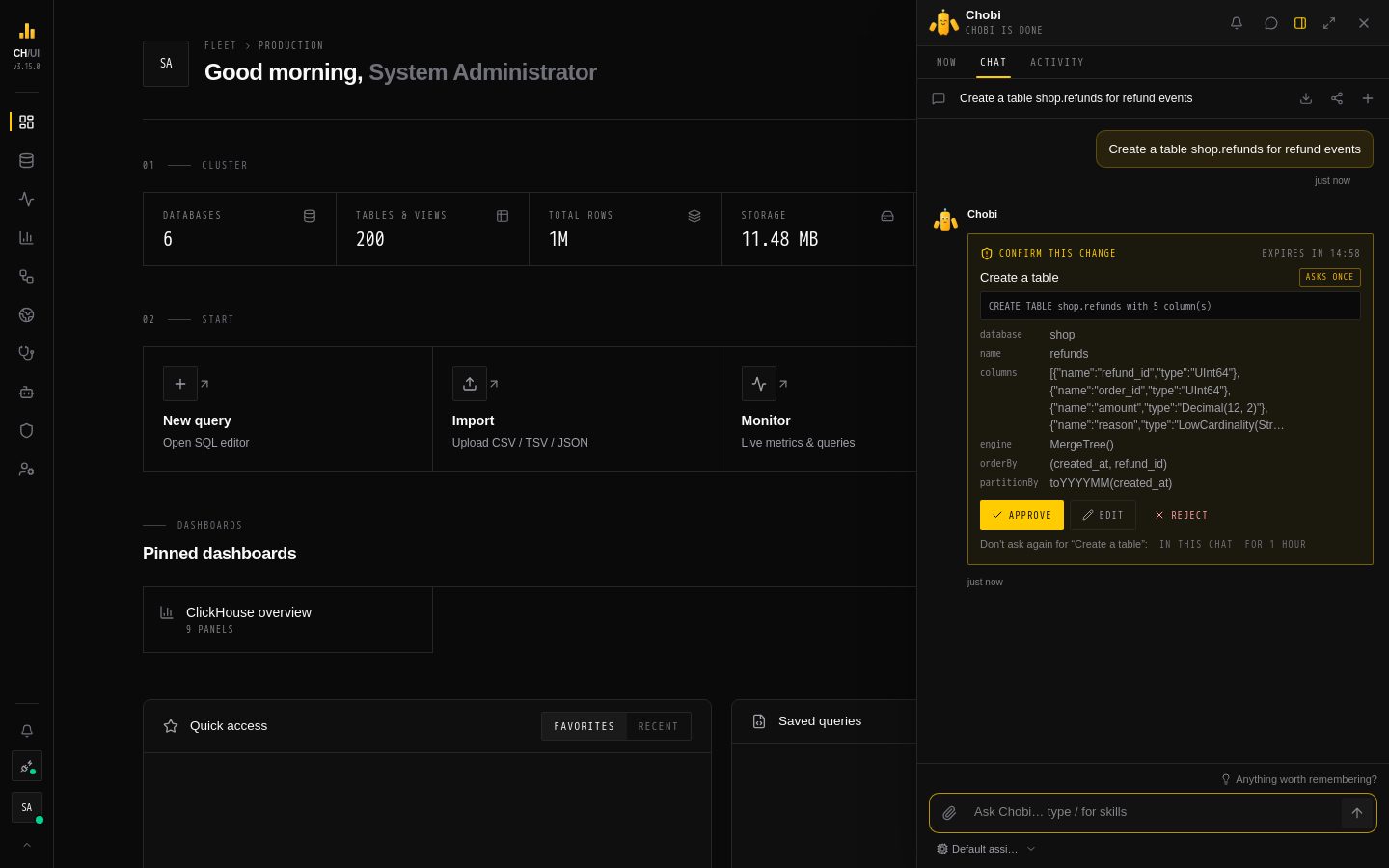 Asks once: the reply pauses on a card with Approve, Edit and Reject
Undo
An undoable change keeps a snapshot of the object before and after it ran. Undo — on the receipt in the chat, in Chobi's Activity tab, or chouse action undo — puts it back, as you, for 24 hours, and only while the object still matches what the change left. If a person or another call changed it since, undo refuses rather than overwrite their work.
Plans and "allow"
- Plans. When an agent asks for two or more changes at once, they pause together as one plan at the highest tier among them: Run plan or Cancel plan.
- Allow. A change that asks once can be allowed In this chat or For 1 hour for that tool. An allow never covers a second-approver change, and stops counting for the rest of a turn once the agent read data people wrote (query results, samples, audit text): instructions hidden in data never ride on an earlier "yes".
The write tools
74 tools in seven toolkits. The AI tool catalog lists each with its tier and permissions.
| Toolkit | Examples |
|---|---|
| Data & Query | saved queries, create_database, create_table, drop_table, run_sql_change, kill_query |
| Scheduling | create, edit, pause, resume, run and delete scheduled queries |
| Data Health | promises, checks, incidents, and watch_table (watches) |
| Observe & Ops | alert rules, post_alert_message, incidents, criticality, notebooks, Doctor, upgrades, collectors |
| Dashboards & Context | dashboards, panels, notes, table context, metrics |
| Access | CHouse users, roles, data access policies, ClickHouse roles — all second approver |
| Platform & Audit | AI agent drafts, evals, your own preferences |
Never for AI: passwords and other secrets, creating or editing connections, ClickHouse users (they carry passwords), SSO, personal access tokens, deleting users or audit entries, guardrails, budgets, AI models and external-agent governance, and approving actions, memories or fixes. AI never changes its own controls.
Where a change is decided
| Where the agent runs | Undoable | Asks once | Second approver |
|---|---|---|---|
| The chat | Runs, Done · Undo | Approval card (or plan) in the chat | Filed here; the chat continues |
| MCP | Runs (unless the token says confirm) | Held while you confirm in CHouse | Filed here, if an admin allows T3 over MCP |
| CLI | Runs | Terminal prompt or --yes | Filed here; --yes never covers it |
| Without a person (AI features, auto-triage) | Saved here as waiting | Saved here as waiting | Saved here as waiting |
| Test console and evals | Nothing is recorded: the tool only says what it would do |
Who decides
| Permission | Can |
|---|---|
ai:act | Let agents change things; approve waiting actions. Admin, Developer and Super Admin have it |
ai:chat or ai:optimize | See their own actions, confirm their own held MCP calls, and reject their own waiting ones |
A second-approver action needs someone other than the person it is for, who has ai:act, holds the tool's own permission (for example roles:create), and can reach the action's connection. It runs as that approver. The tab's badge counts what waits for you.
With Need You alerts, waiting actions are also posted to team channels; on a chat app channel they carry Approve and Decline, which run as the person who pressed them under the same rules as here.
Reviewing an action
Each row shows the action, who asked (Alice, in chat, Background run as Alice, MCP agent), its check, its status and when it expires. Approve runs it at once; Reject declines it; Review opens the arguments, the result or the error, where you can edit the arguments as JSON — Approve with changes validates and runs the edited version — and give a reason when rejecting. A held MCP call shows Confirm and Decline to its own person only; confirming records the decision, and the agent runs it.
| Status | Means |
|---|---|
| Waiting | Nobody has decided yet |
| Done | Approved and ran |
| Failed | Approved, but CHouse refused it or it failed — the reason is shown, as you'd see it doing it yourself |
| Rejected | Declined; the agent was told why |
| Expired | Nobody decided in time: 15 minutes in the chat, 24 hours here |
Audit
Every decision is recorded as ai_action.approve or ai_action.reject, an undo as ai_action.undo, with the tool and what it would do; what the action then does is audited by the route it calls, as for any change you make yourself. See Audit events.