
Chat apps
Slack apps, Google Chat apps and Telegram bots: messages that update themselves and buttons to approve, acknowledge or snooze from chat.
- In the app
- Admin › Alerting
/admin/alerting?view=channels - Needs
- alerting:edit
A webhook only posts. A chat app — a Slack app, a Google Chat app or a Telegram bot — can also edit what it posted and carry buttons that call back to CHouse: Acknowledge and Snooze on Data Health alerts, Approve and Reject on remediation proposals, Approve and Decline on Need You alerts. Every feature that sends alerts can use any channel.
Step by step, with screenshots: Approve from Slack.
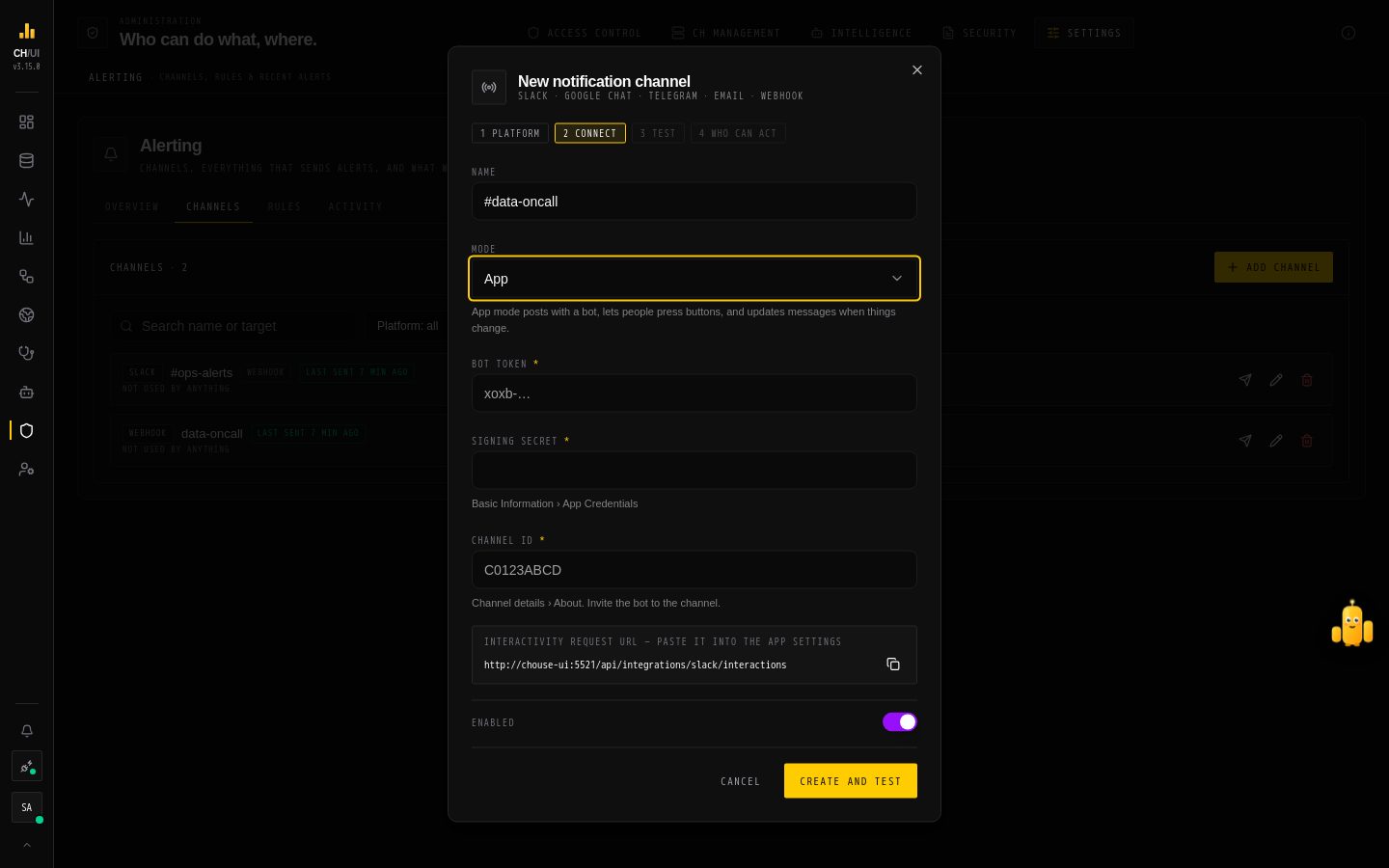
Set one up in Admin › Alerting › Channels › Add channel. Buttons need CHouse reachable from the platform over HTTPS at PUBLIC_BASE_URL (Helm publicBaseUrl); without it, messages still go out and are still edited, but nobody can press a button.
Slack
-
Create an app at api.slack.com/apps › Create New App › From an app manifest, with this manifest (replace the URL):
yamldisplay_information: name: CHouse features: bot_user: display_name: CHouse oauth_config: scopes: bot: - chat:write - users:read - users:read.email - usergroups:read settings: interactivity: is_enabled: true request_url: https://chouse.example.com/api/integrations/slack/interactions -
Install to Workspace, then copy the Bot User OAuth Token (
xoxb-…) and, under Basic Information › App Credentials, the Signing Secret. -
Invite the bot to the channel (
/invite @CHouse) and copy the channel ID (channel details › About,C…). -
In CHouse, add a Slack channel in App mode with the token, the signing secret and the channel ID. Test says who the bot is and posts a test message.
users:read.email is how CHouse knows who pressed a button; usergroups:read is only needed for a user group in the channel's allowlist. The signing secret proves a click came from Slack: a request it does not sign, or one older than five minutes, is refused.
Google Chat
Chat apps need Google Workspace.
- In a Google Cloud project, enable the Google Chat API.
- Create a service account and a JSON key for it (Keys › Add key › JSON).
- In Google Chat API › Configuration: name the app, choose HTTP endpoint URL
https://chouse.example.com/api/integrations/google-chat/events, and set Authentication audience to Project number (or to the endpoint URL). Make it available to the people or groups who should see it. - Add the app to the space, and copy the space from its URL (
spaces/AAAA…). - In CHouse, add a Google Chat channel in App mode with the key, the space and — if you chose Project number — the project number as the audience. With no audience, CHouse expects the endpoint URL.
Google signs every event with its own keys; CHouse checks the signature, the issuer and the audience, and that the event comes from the channel's space.
Telegram
- Talk to @BotFather, send
/newbot, and copy the token (123456789:AA…). - Add the bot to the group, send a message there, and read the chat ID (a negative number such as
-1001234567890) fromhttps://api.telegram.org/bot<token>/getUpdates. Do this before saving the channel: once CHouse registers the bot's webhook,getUpdatesstops answering. - In CHouse, add a Telegram channel with the token and the chat ID; for a forum group, add the topic ID. Saving registers the webhook with a secret token Telegram sends back with every update. Test shows Button presses reach CHouse when that worked.
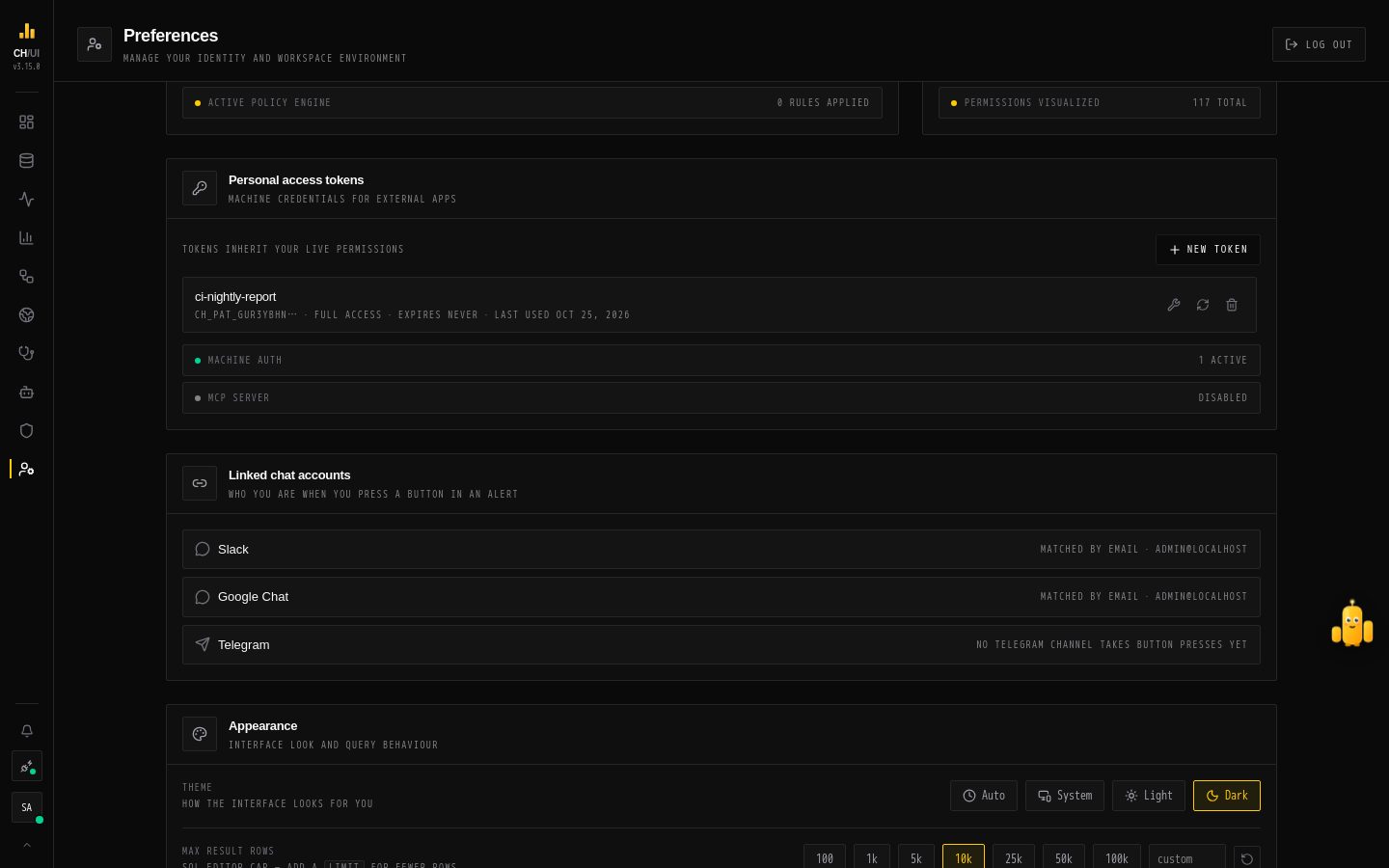 Preferences › Linked chat accounts
Telegram has no email, so each person links their account once: Preferences › Linked chat accounts › Link Telegram opens the bot with a one-time code (it works for ten minutes); pressing Start links the account. Codes only work in a private chat with the bot.
How a button press is checked
- The platform — Slack's signature, Google's signed token, or Telegram's secret token. Anything that does not verify is refused.
- The message — the button must belong to a message CHouse posted to that channel, in that chat or space, and not yet settled.
- The person — Slack: the clicker's confirmed email; Google Chat: the event's email; Telegram: the linked account. It must be an active CHouse user.
- The channel's allowlist — Who can act from this channel, when it has one.
- The action itself — CHouse runs it through the same route the UI uses, as that person, with a token that lasts two minutes. So their permissions, connection access and every rule apply: a requester can't approve their own high-risk change, a class-2 fix still needs two people.
The person who clicked gets the answer privately (an ephemeral Slack message, a private Google Chat message, a Telegram pop-up). Each press is audited as alerting.chat_action with the platform, the channel and the platform user; links are audited as chat_identity.link.
Messages never carry an action's raw arguments: only its description, who asked, where, and when it expires.
Limits
- Platform calls go only to
slack.com,oauth2.googleapis.com,chat.googleapis.com,www.googleapis.comandapi.telegram.org. - The three callback endpoints accept 300 requests a minute per address, and each person 20 presses a minute.
- Messages are kept for 90 days; older ones are no longer edited.