
Connections
Add and manage multiple ClickHouse servers, connection presets, encrypted credentials and quick switching.
- In the app
- Admin › Connections
/admin/connections - Needs
- connections:view
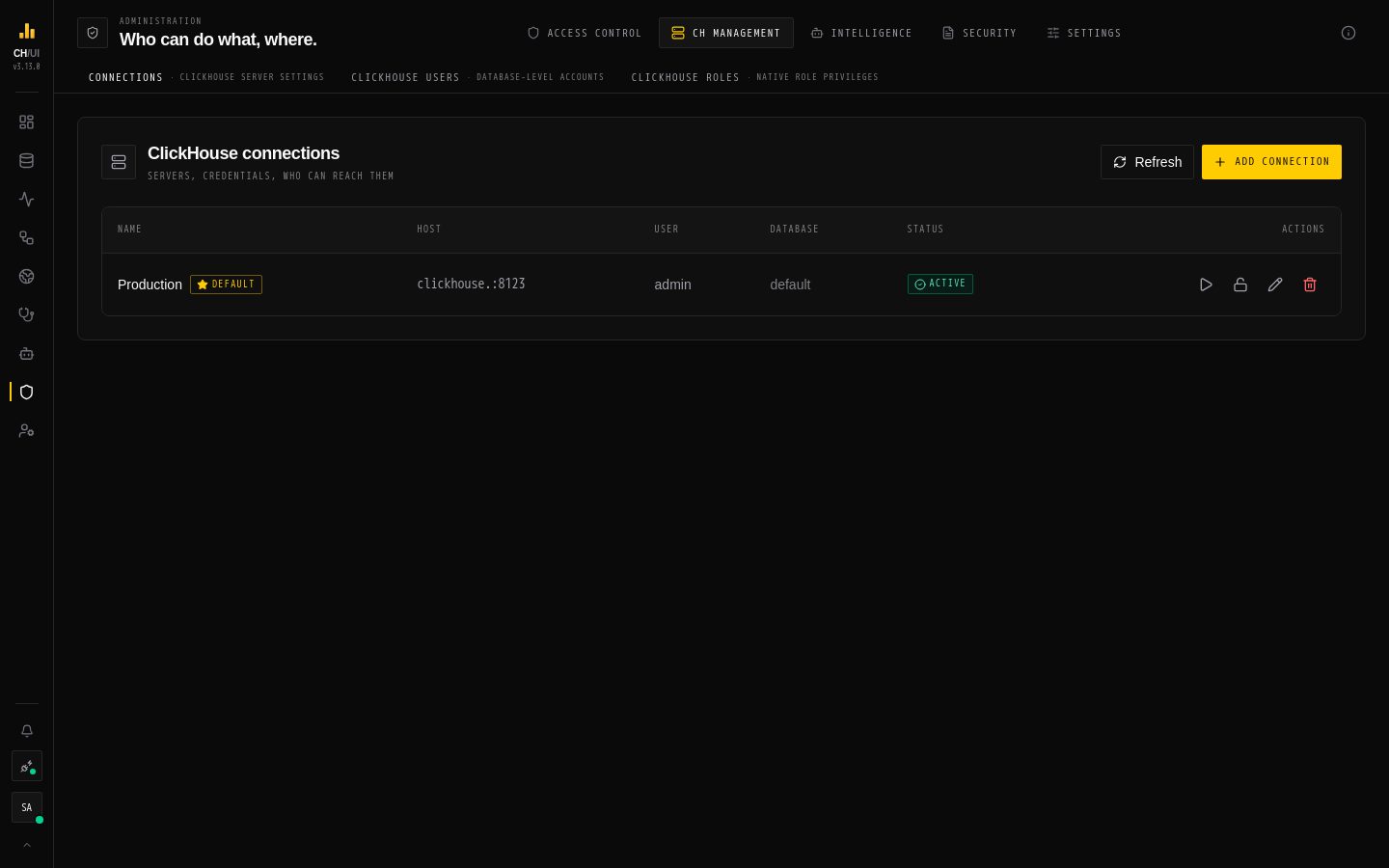
A connection is a ClickHouse server CHouse UI talks to. You can register many — one UI, many clusters — and switch between them. Manage them in Admin › Connections (connections:view; adding and changing needs connections:edit, removing connections:delete).
Add a connection
- Admin › Connections › Add connection.
- Fill in:
- Connection name — shown in the connection selector and on Fleet
- Host and Port — the ClickHouse HTTP interface, e.g.
clickhouse-serverand8123(8443with TLS) - Username and Password — encrypted with AES-256-GCM on the server and never sent to the browser
- Default database (optional) — empty uses the server's default
- SSL / TLS — connect over HTTPS
- Test Connection shows the server version and latency. Save.
CLICKHOUSE_DEFAULT_URL, CLICKHOUSE_DEFAULT_USER and CLICKHOUSE_PRESET_URLS pre-fill the form — see Environment variables.
Who can use it
A new connection is invisible to non-admins until a data access policy with an allow rule for it is attached to their role. The list shows who can reach each connection. One connection can be the default, selected first for new sessions; a connection can be set Inactive to hide it without deleting it.
Check privileges
Open a connection's Edit dialog. The Observability grants panel checks what the connection's ClickHouse user can read and lists the exact GRANT statements for anything missing. Saving never fails because of a missing grant — the collector that needs it is simply switched off, and the affected features show missing evidence. See How data is watched.
Remediation credential
In the same dialog, Remediation credential stores a second ClickHouse login, used only to run approved fixes. It is encrypted like the main password and can be removed at any time; without it, fixes can't run on this connection.
Grant the connection user what your team needs
The connection user's ClickHouse rights are the outer limit: CHouse UI's permissions and data access can only narrow them.
| Team need | ClickHouse grant |
|---|---|
| Query and explore | SELECT on the databases people use |
| Monitoring and data observability | Read access to the system tables listed by Check privileges |
| Loading data, scheduled-query destinations | INSERT (and CREATE TABLE for create-if-missing) on target databases |
| Schema management in the Explorer | CREATE, ALTER, DROP on target databases |
| Codec trials and upgrade checks | Write access to the scratch database (chouse_scratch) |
| ClickHouse users & roles | access_management |
Fixes don't need any of these on the main user — they use the remediation credential.
Credentials at rest
Connection passwords are encrypted with RBAC_ENCRYPTION_KEY and RBAC_ENCRYPTION_SALT. If those change, stored passwords can't be decrypted and must be entered again — see Secrets.