
Parts
system.part_log as stacked charts of merges, mutations, downloads and removals, plus a paginated event table.
- In the app
- Monitoring › Parts
/monitoring/parts - Needs
- parts:view
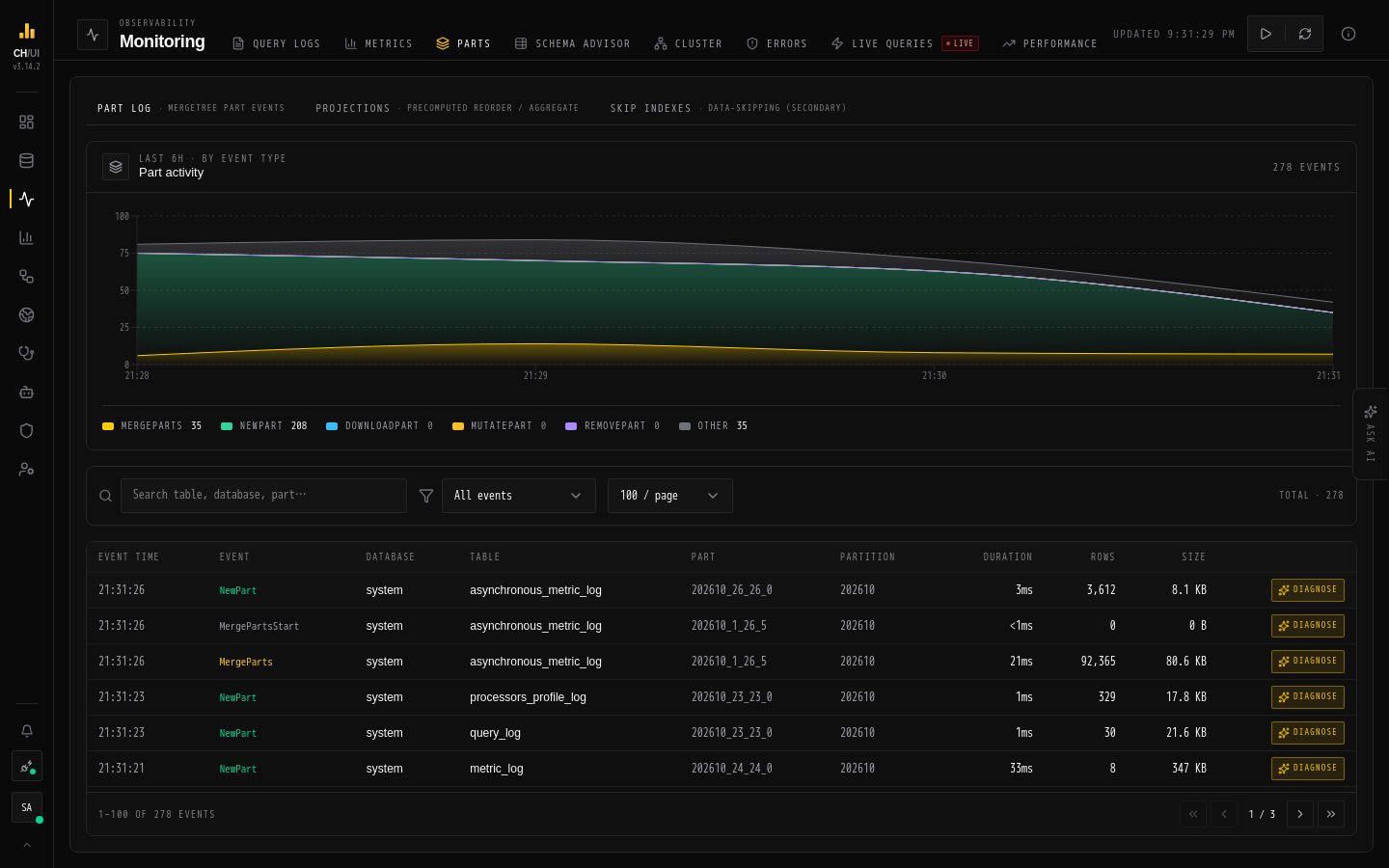
Parts (/monitoring/parts, permission parts:view) turns system.part_log into a health picture of how data lands, merges and mutates on disk.
Stacked area charts
The main chart stacks part operations over the active time window:
| Series | Meaning |
|---|---|
| Merges | Parts merged together — the good pressure |
| Mutations | ALTER-based rewrites |
| Downloads | Replicated fetches |
| Removals | Parts cleaned up |
A healthy cluster shows steady merges with removals tracking them. Spikes in mutations or a merge plateau with rising part counts is the classic "too many parts" risk.
Event table
Below the chart, a paginated table of raw part-log events — per-part rows with operation, size, duration and outcome. Use it for pinpointing which partition/part misbehaved after the chart shows when.
Chouse AI diagnosis
With ai:optimize, part-log rows expose Diagnose:
- Part-health read: merge pressure, too-many-parts symptoms, partition key evaluation
- Same read-only engine as the rest of Chouse AI — see Chouse AI in-tab
Related surfaces
| Question | Go to |
|---|---|
| Which columns waste disk? | Schema advisor |
| Are mutations stuck? | Cluster activity |
| What caused the merge storm? | Query logs → By table |
| Storage growth over time | Metrics → Storage |
Underlying data
| Table | Used for |
|---|---|
system.part_log | Chart + events |
system.parts | Current part counts (context for pressure reads) |
Tip: Partition by day (not hour) for most team-scale tables — the advisor and parts views make partition-key mistakes obvious once you know to look.