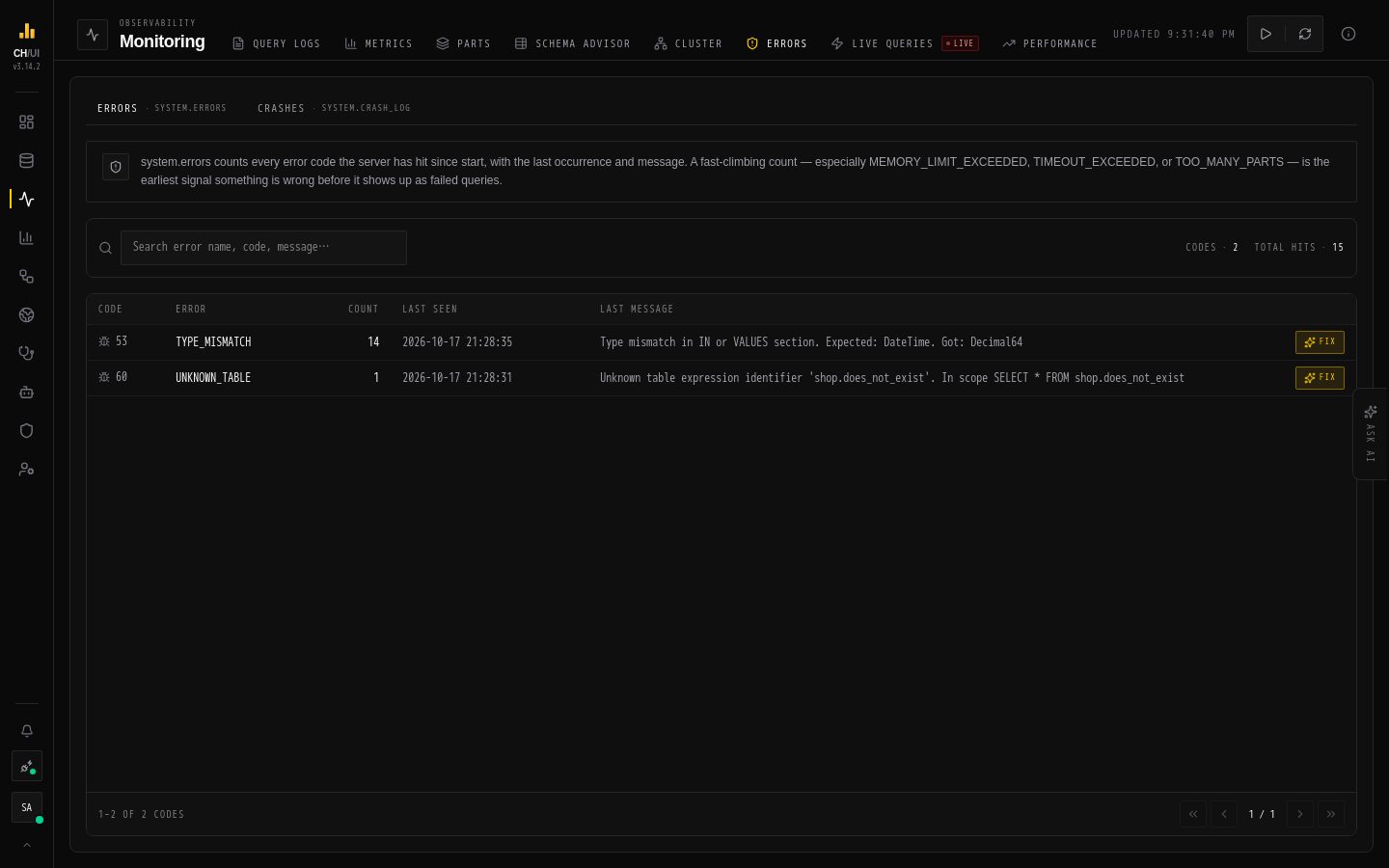
The errors viewer (/monitoring/errors, permission errors:view) is a searchable, paginated surface over system.errors and the crash log — so recurring server-side failures surface without ad-hoc SQL.
Sort by count or recency — "biggest problem" vs "newest problem"
The crash log surfaces separately for hard server failures
Chouse AI: Fix
With ai:optimize, each error row exposes Fix:
Cause — what typically produces this error
Impact — what breaks while it persists
Ordered solutions — concrete steps, ranked
Read-only and advisory, like all Chouse AI surfaces — see Chouse AI in-tab.
Workflow
Sort by count, scan the top of the list
Skip the known-benign noise (e.g. expected auth failures from scanners)
For anything new or growing: Fix for diagnosis, query logs for the queries involved, cluster activity if mutations/replication are implicated
Underlying data
Table
Used for
system.errors
Error rows with counts and timestamps
Crash log
Hard server failures
Tip: Trend matters more than presence — a stable error count is background noise; a growing one is an incident. The Metrics → Errors tab shows that trend over time.