
Context
Table descriptions, owners, canonical metrics, dbt import and plain-language watchers — for people and AI agents.
- In the app
- Data › Context
/data/context - Needs
- observe:view
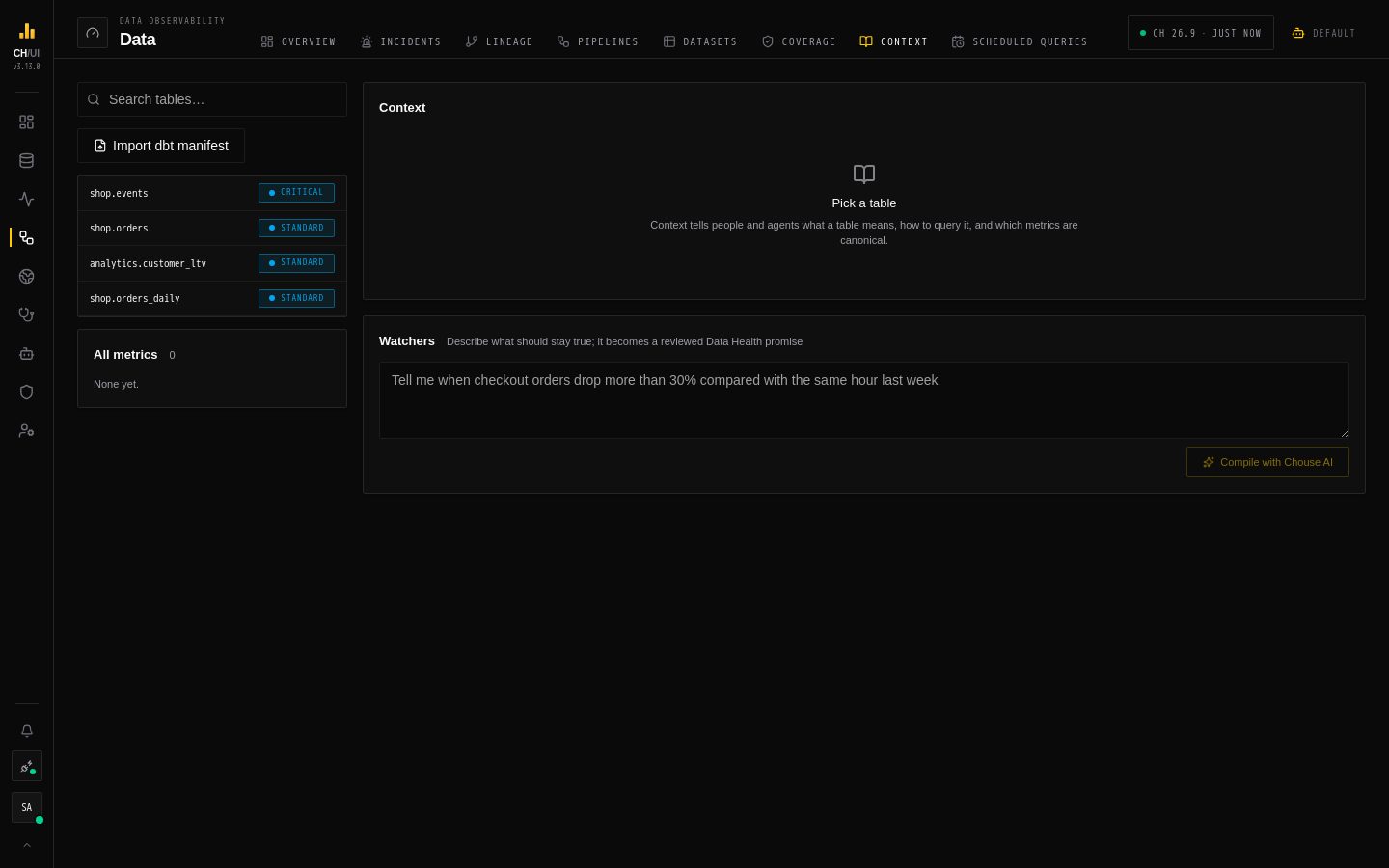
Data › Context records what each table means — for the people on your team and for the AI agents that query it. Agents read it through MCP before they write SQL, so they use your definitions instead of guessing.
What a table's context holds
Pick a table from the list (or search). Its page has:
| Section | Holds | Who writes it |
|---|---|---|
| Curated context | What this table is, Grain (e.g. one row per order), Owner, Use instead of (the table it replaces), Tags, a Deprecated flag, and Mark verified | People with context:edit, optionally starting from a Chouse AI draft |
| Canonical metrics | Named expressions, e.g. gmv = sumIf(amount, status = 'paid'), with a description | People with context:edit |
| What CHouse learned | Engine, size, sorting and partition keys, columns, query guidance, common joins and known-good query shapes — from metadata and query_log | CHouse UI |
| Watchers | Plain-language alerts that become promises (below) | People with data_health:edit and ai:optimize |
A deprecated table tells agents to avoid it and points them at its replacement.
Edit context
- Open Data › Context and pick the table.
- Fill in the curated fields and Save. Mark verified records that someone checked it.
- Under Canonical metrics, enter a Metric name (letters, digits,
_), the Metric expression and an optional description, then Add metric.
All metrics lists every canonical metric on the connection.
Draft with Chouse AI
Draft with Chouse AI (needs context:edit and ai:optimize) fills in the empty curated fields for you. It never overwrites anything already written. Fields it filled are marked AI, the mark goes away when you edit the field, and nothing is saved until you click Save. Up to three suggested metrics appear with an Add button each.
What Chouse AI sees, and what it doesn't:
- It never writes or runs SQL. It has no tools. CHouse UI builds one fixed query for the selected table only, after checking your access to it, and runs it read-only with a 10-second limit and a 10-million-row read cap.
- Summary numbers only, never rows. Row count, null share and distinct count per column, min/max for numbers and dates, and the five most common values only for columns with at most 50 distinct values. Values that look like emails or long numbers (phone, card) are dropped, and access tokens are masked.
- Personal columns get no values at all. That means columns whose name looks personal (email, phone, address, IP, name, password, token, …) and every column of a table tagged
pii. - Metadata it already has: columns and comments, engine and keys, common joins, known-good query shapes (with literals blanked), which users write to the table, dbt descriptions, and similarly named tables.
- Its suggestions are checked. Use instead of must be a real, similarly named table you can access. A metric must be a single aggregate over this table's own columns. Anything that fails is left out, and the summary says how many were.
Each draft is recorded in the audit log as context.ai_draft.
Import from dbt
Import dbt manifest takes a dbt manifest.json and copies the description, owner (meta.owner) and tags of each model, seed and snapshot onto the matching table (dbt schema = ClickHouse database). It never overwrites context someone curated by hand, and skips models with no matching table; the result says how many were imported and skipped. Re-import whenever your dbt docs change.
Watchers
A watcher is a sentence: "Tell me when checkout orders drop more than 30% compared with the same hour last week." Chouse AI compiles it into SQL you can read (Compiled SQL), then Review as promise opens the promise wizard pre-filled. Nothing is saved until you save the promise, so you always review what it will check.
How agents use it
The MCP tools get_table_context and get_metric return this context and the metric definitions. An agent asking "what was GMV yesterday?" gets your gmv expression rather than inventing one.