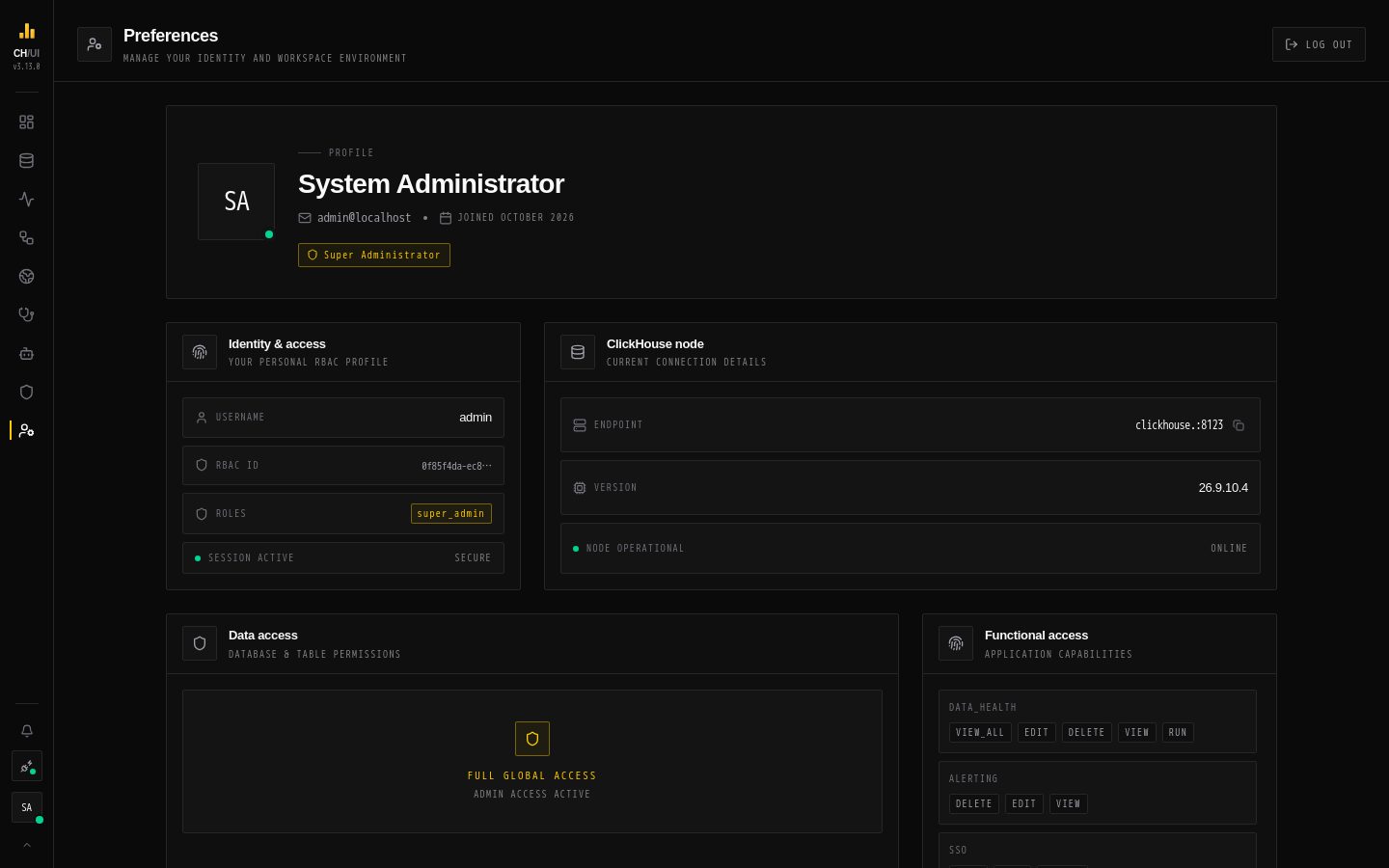
Your theme, default result row limit, effective access and personal access tokens.
In the app
Preferences/preferences
Preferences
Preferences (/preferences, last item in the dock) holds your own settings and shows what you're allowed to do. Everyone can open it.
Section
What you can do
Profile
See your username, RBAC ID and session; Log out
Appearance
Theme — Auto (light 06:00–18:00 local, dark otherwise), System, Light or Dark. Max result rows — the default row cap for query results: 100, 10k, 25k, 50k, 100k or a custom limit
Identity & access
Your roles, your data access (the policies that apply to you) and your functional access (every permission you hold, grouped)
ClickHouse node
The active connection's endpoint (copyable) and server version
Personal access tokens
Create, rotate and revoke tokens for the CLI, MCP agents and scripts — see Personal access tokens
Settings are saved on the server, so they follow you to other browsers.
The access sections are the quickest way to answer "why can't I see X?": if the permission or policy isn't listed here, ask an administrator for a role that has it. Changing your password isn't done here — see Users & roles.