
Skills
SKILL.md instructions and reference files that agents read on demand or pin into their prompt — anatomy, limits and writing your own.
- In the app
- AI Governance › Assistant › Skills
/ai/assistant - Needs any of
- ai_agents:viewai_agents:manage
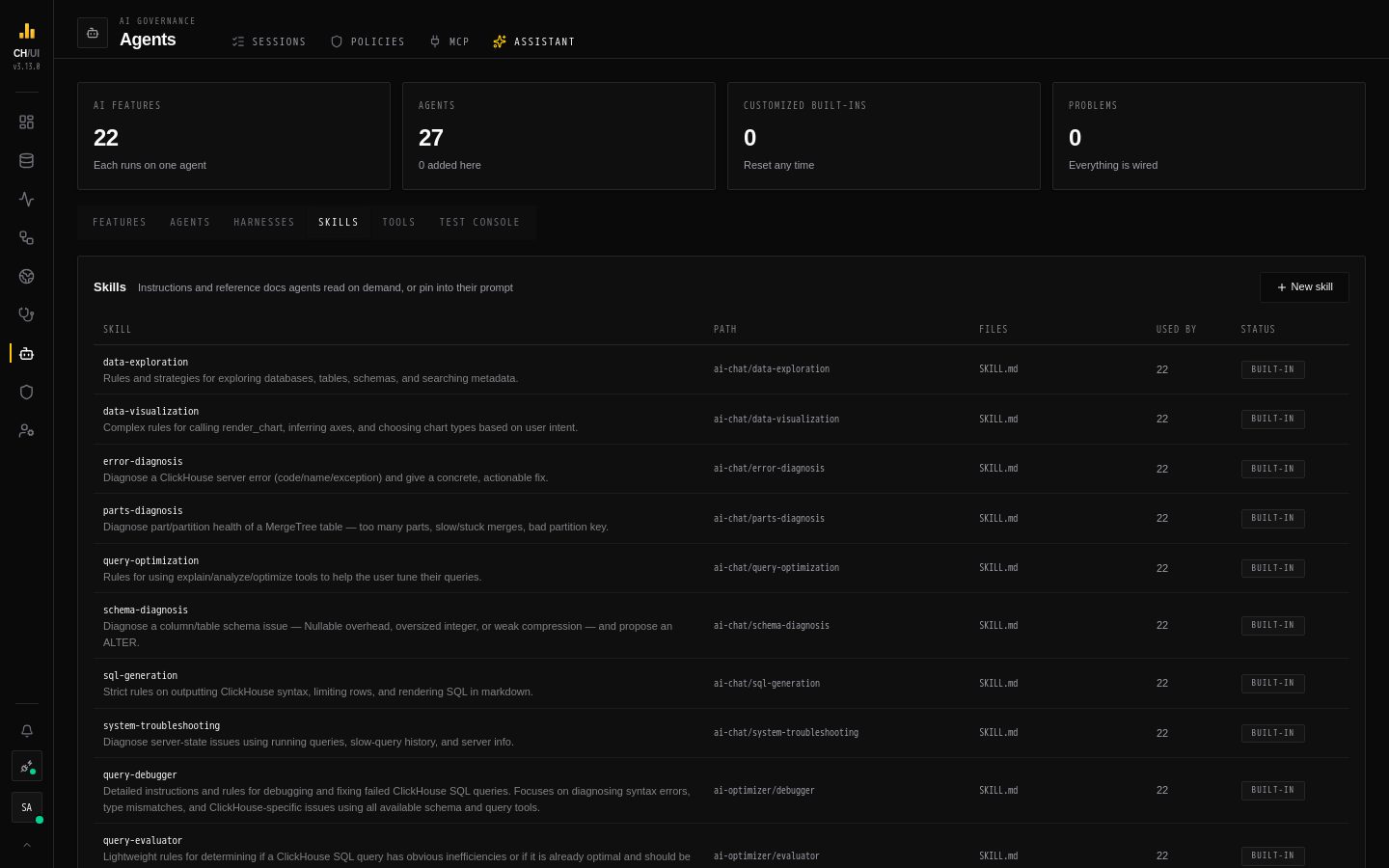
A skill is a set of instructions and reference material an agent can draw on: a SKILL.md file, plus any other files next to it. CHouse ships skills for SQL generation, data exploration, query optimization, error and parts diagnosis, and three references — the ClickHouse playbook, the system.* table reference, and types, codecs and compression. They are listed in the AI tool catalog.
Skills are stored in CHouse's metadata database, not on disk, so every replica serves the same version. Agents see them as read-only files under /skills/.
Anatomy of a skill
/skills/references/clickhouse-playbook/
├── SKILL.md        front matter + when and how to use the skill
└── reference.md    the material itself
SKILL.md starts with YAML front matter that names and describes the skill:
---
name: data-exploration
description: Rules and strategies for exploring databases, tables, schemas, and searching metadata.
---

## WHEN TO USE
The user wants to discover or understand the data model: …| Field | Rules |
|---|---|
name | Required. Kebab-case, at most 64 characters, unique. It is the skill's name everywhere — in {{skill:name}}, in the agent's skill list. A built-in skill keeps its name |
description | Required, at most 1,024 characters. With on-demand skills this is all the model sees until it opens the skill, so say when to use it |
| Path | <group>/<directory> in lowercase kebab-case, unique — for example custom/release-notes. The skill lives at /skills/<path>/. The group is just a folder: built-in skills use ai-chat, ai-optimizer and references |
| Files | Any number of extra files (reference.md, examples/joins.md), up to 1 MB each. SKILL.md is up to 1 MB too |
On demand or pinned
An agent links a skill in one of two ways, chosen per agent on the editor's Skills tab:
| On demand | Pinned | |
|---|---|---|
| What the model gets | The skill's name, description and path, listed in its prompt | The full text of one file, appended to the system prompt |
| When the content is read | Only if the model decides it needs it, with read_file | Every run |
| Cost | A line per skill until used | The whole file on every run |
| Needs | A harness that keeps read_file (Focused and Delegating do; Router doesn't) | Nothing |
| Best for | Playbooks for situations that come up sometimes | Short rules the agent must always follow |
An agent can do both with the same skill. To inline a skill at a specific place — or only under a condition — use a {{skill:…}} include in the prompt instead of pinning it.
Each agent sees only the skills linked to it, even if other skills share their group. Subagents link their own.
Managing skills
AI Governance › Assistant › Skills lists every skill with its description, path, files, how many agents use it, and its status. Open one to edit:
- SKILL.md — the name and description are read from its front matter.
- Path — where agents find it.
- Files — edit or remove the other files; type a name and Add file to create one.
- Enabled — a disabled skill disappears from every agent's on-demand list. An agent that pins it, or a prompt that includes it with
{{skill:…}}, would break, so the server rejects the change until they stop using it. - History — earlier versions, with Restore.
New skill starts from a custom/my-skill template. Built-in skills can't be deleted — disable or reset them. A skill you added can be deleted once no agent links or includes it.
Writing a good skill
- Start
SKILL.mdwith when to use and when not to — the model reads it to decide. - Keep
SKILL.mdshort and put long material in other files; tell the model which file to read for what. - Prefer concrete patterns, queries and named anti-patterns over general advice.
- Reference other skills by name when they overlap (
use sql-generation for …). - Test the agent in the test console and check the tool calls: an on-demand skill shows up as a
read_filecall when the model opens it.
Built-ins and upgrades
Editing a built-in skill marks it customized, and CHouse upgrades stop changing it; when a newer version ships it shows update available. Reset to built-in restores the shipped text. See Versions, upgrades & audit.