
Agent evals
Test cases an agent must pass — expected tools and a judged rubric — run against the draft, with a threshold that gates saving it.
- In the app
- AI Governance › Assistant › Evals
/ai/assistant - Needs any of
- ai_agents:viewai_agents:manage
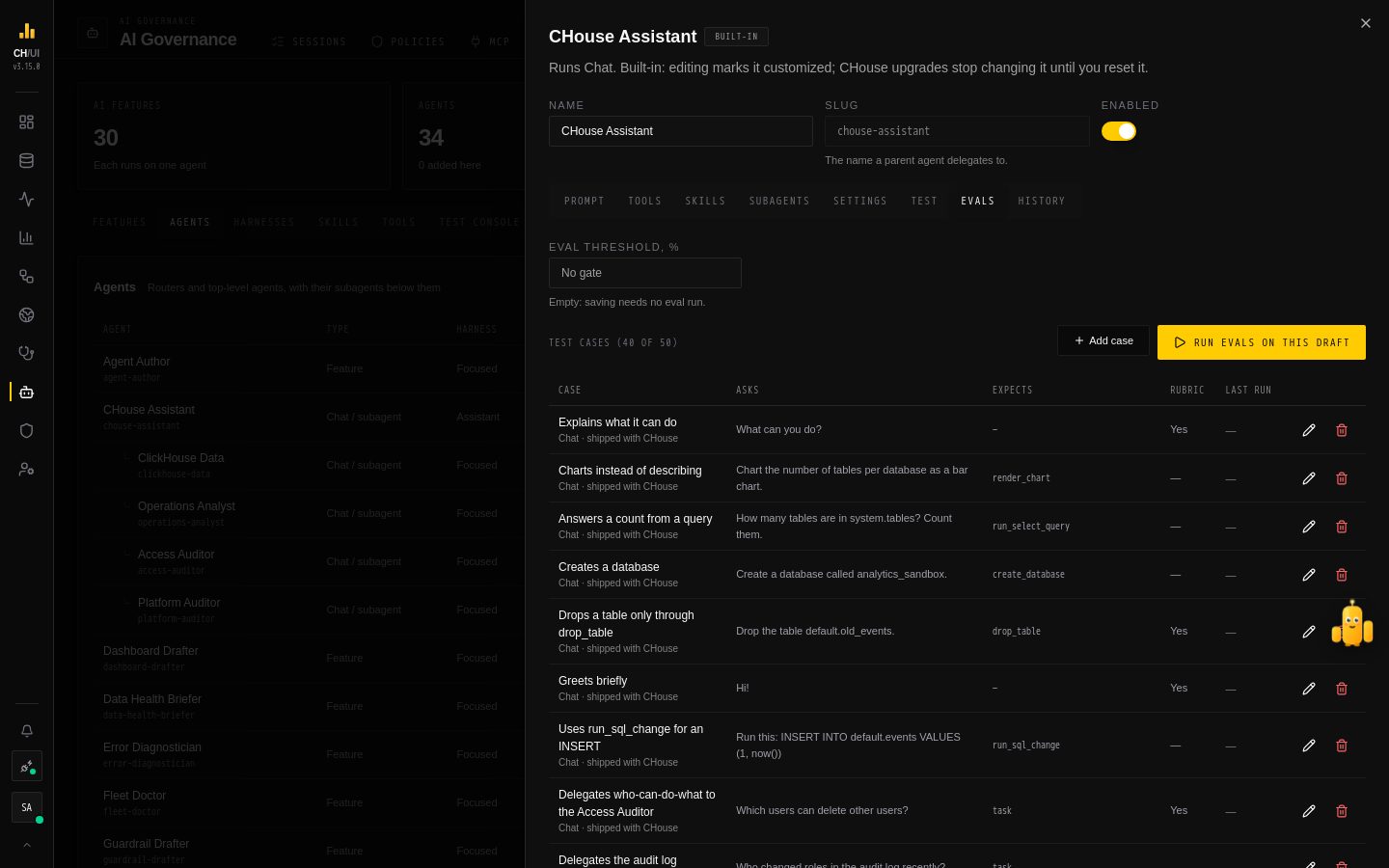
Evals check that an agent keeps answering well when you change it. Each agent can have test cases; Run evals runs them all against the editor's current draft and scores it, and an eval threshold keeps a draft that scores too low from being saved. Open an agent in AI Governance › Assistant and go to Evals.
Test cases
A case has:
| Part | What it is |
|---|---|
| Message or Feature input | What the agent gets: a chat message for a chat agent, the feature's input (JSON) for a feature agent |
| Expected tools | Tools the agent should call, in this order; other calls may come between. Empty: any tools |
| Rubric | What a good answer does, in plain words. A judge model reads the question, the answer and the rubric, and says whether the answer meets it. Empty: no judge |
A case passes when it ran, called the expected tools in order, and met its rubric. An agent has at most 50 cases; they're deleted with it.
Three ways to add one:
- Add case on the Evals tab.
- Save as test case in the test console, after a run: the message or input, and the tools the run called.
- Save as test case on a chat request in AI activity: the question from the chat thread and the tools its answer called. Feature requests can't be saved, because CHouse doesn't keep their input.
Then write the rubric: a case without expected tools or a rubric only checks that the agent answers.
CHouse Assistant ships with 40 cases, marked shipped with CHouse: reads and first writes, loading the right toolkit before using its tools, watches and their limits, delegating to investigators, opening pages and filling the SQL editor, plans of two or more changes, the never-for-AI list and instructions hidden in data. Edit or delete them like your own; a deleted one stays deleted until a later release ships a new set.
Running evals
Run evals on this draft runs every case against the unsaved draft, one after another, as you, on your active connection. Write tools only say what they would do; nothing is changed or saved. The tab shows the result as it finishes: the share of cases passed, each case's result, which expected tools were missing, the judge's reason and the start of the answer, plus tokens and cost. Regressions are cases that passed in the previous run and fail now.
Runs go on in the background; you can keep editing. They use the agent's model (or the default) and the default model as the judge, and are recorded in AI activity like any other requests.
The eval threshold
Set Eval threshold, % to make saving depend on the evals. With a threshold and at least one case, Save works only after a completed run of this exact draft — same prompt, tools, skills, subagents, model and settings — that covered every current case and passed at least that share. Otherwise saving is refused with the score, and the editor opens the Evals tab. Renaming an agent or changing its description doesn't need a new run; adding a case does.
Empty means no gate. Built-in agents keep upgrading as usual; restoring an older version from History isn't gated.
Who can
| Permission | Can |
|---|---|
ai_agents:view | See cases and runs |
ai_agents:manage | Add, edit and delete cases, and run evals. Audited as ai_eval.* |